Version: latest

WebHook

The WebHook plugin provides the AMMDS platform with the ability to send push notifications to specified WebHook URLs, enabling users to receive real-time system event notifications. Through WebHook, users can push various events from the AMMDS platform (such as task completion, system alerts, status changes, etc.) to external systems in real-time, achieving integration with third-party services.

Plugin Configuration

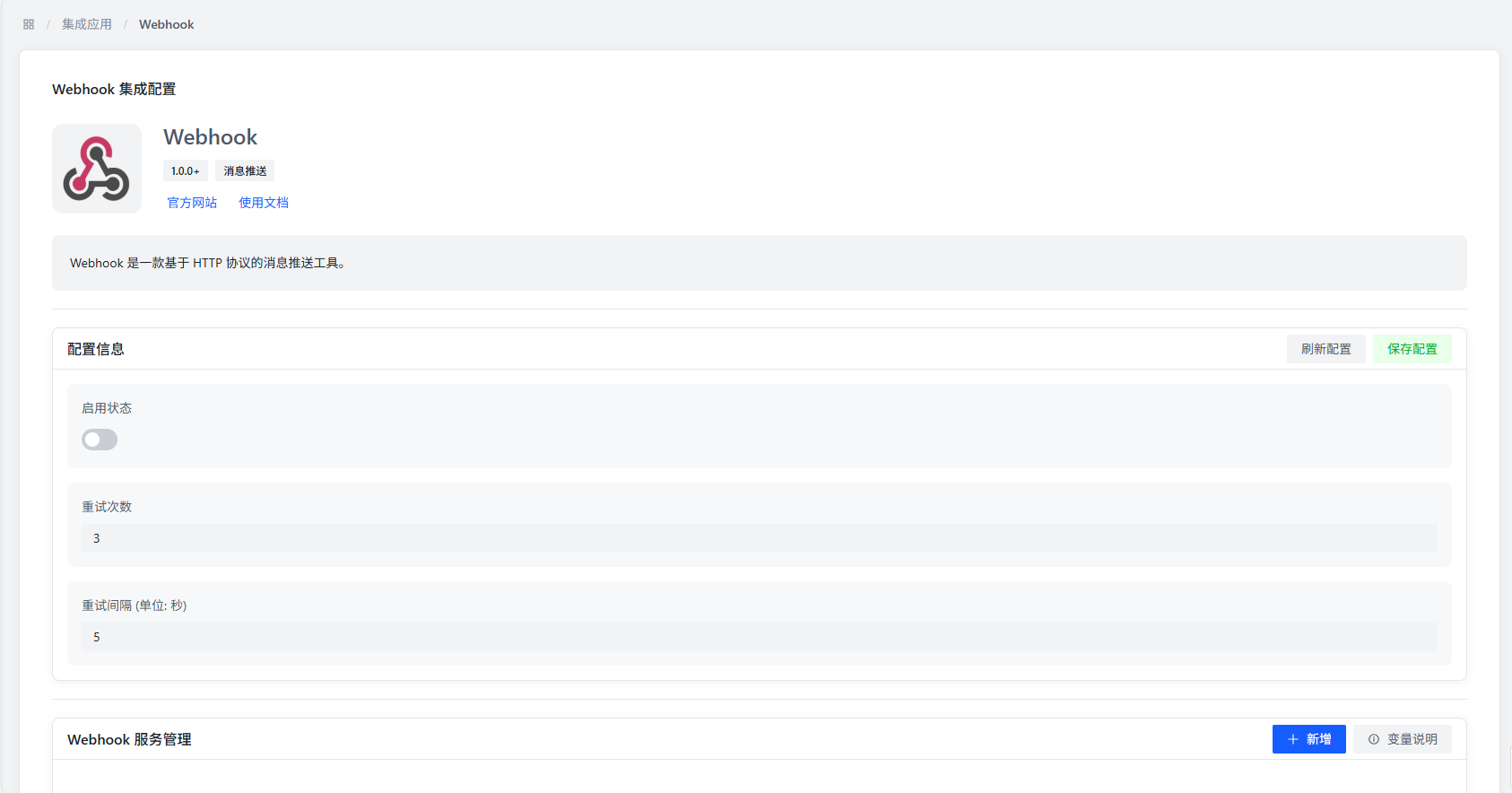
Plugin Configuration

Plugin Configuration Items

  • Enable Status: Controls whether to enable the WebHook plugin. After disabling, all WebHook services will stop sending notifications.
  • Retry Count: Sets the number of retries after notification sending fails. When a WebHook request fails, the system will automatically retry according to the set number of times.
  • Retry Interval: Sets the time interval between each retry (unit: seconds). Reasonably setting the retry interval can avoid causing excessive pressure on the target server.

WebHook Service Configuration

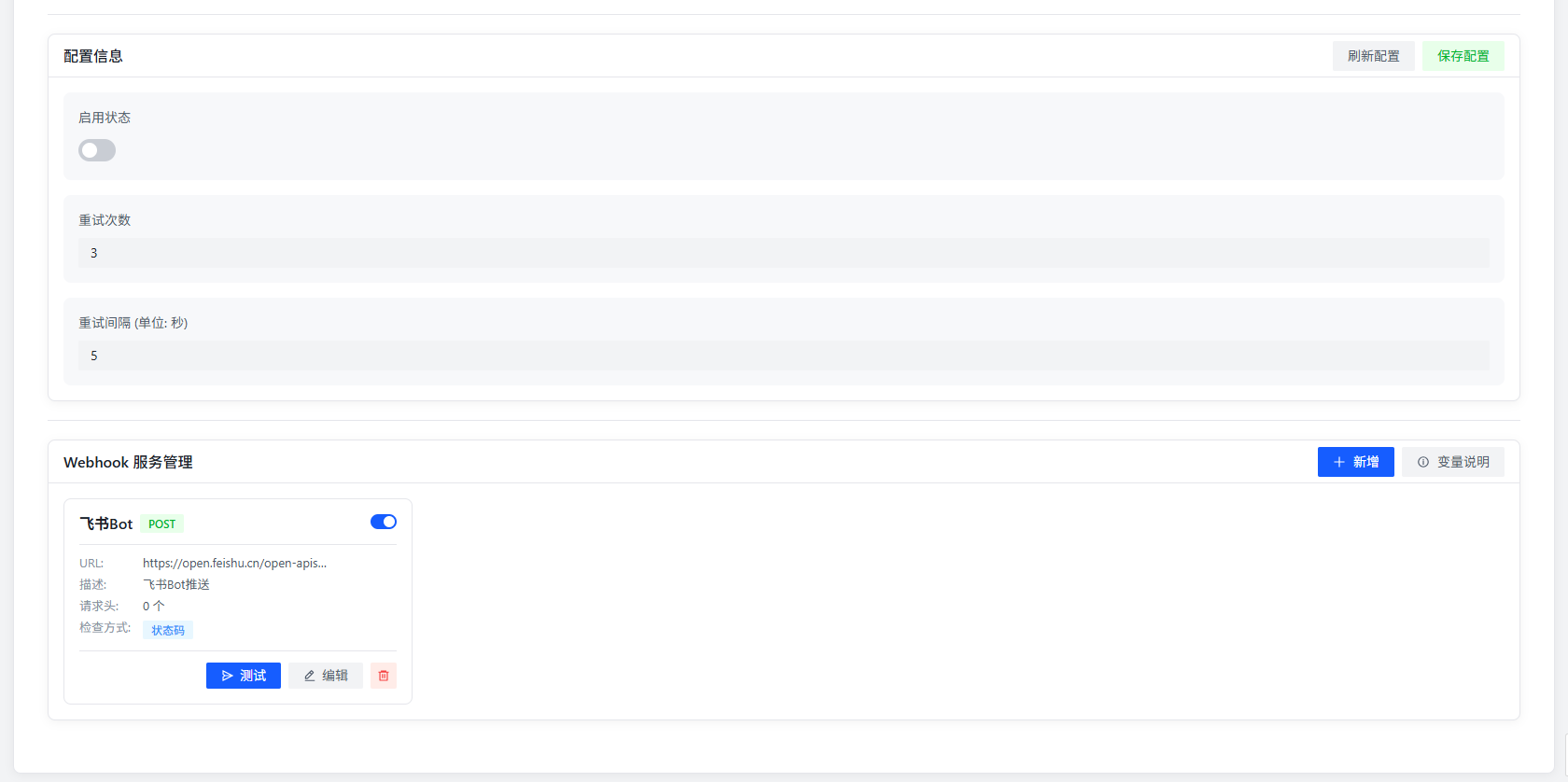
WebHook Service Configuration

The plugin supports configuring multiple WebHook services simultaneously. Each service can independently set URL and notification content format. Users can create multiple WebHook services according to different notification scenarios, for example:

  • System alert notifications
  • Task status change notifications
  • Important event notifications
  • Data synchronization notifications

Add WebHook Service

Click the "Add" button to open the configuration dialog for adding a new WebHook service.

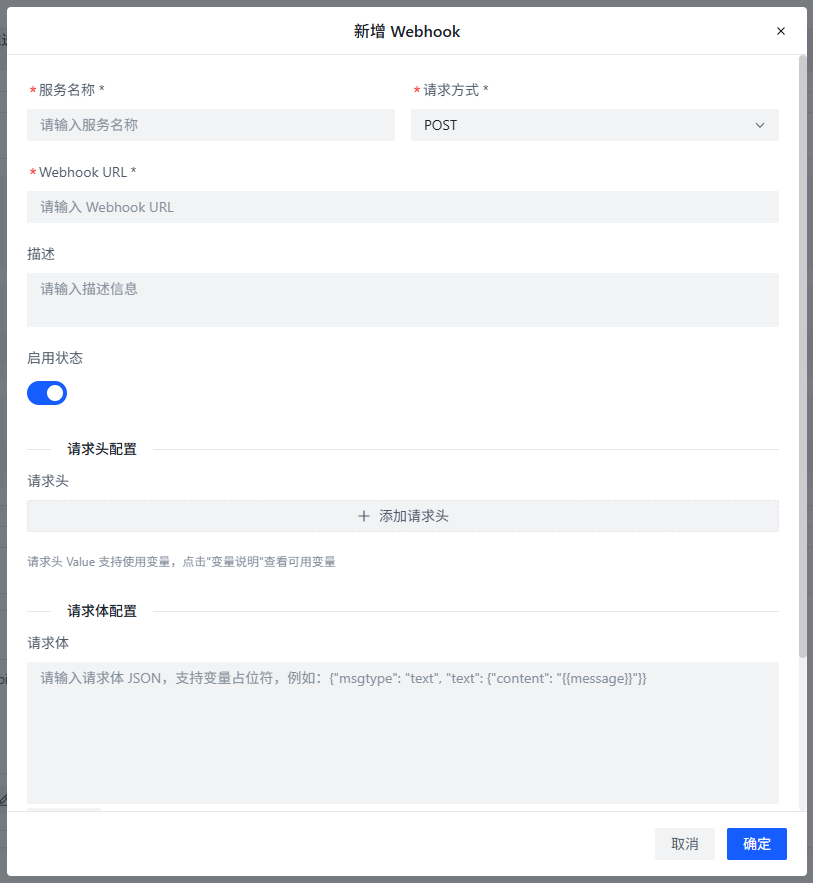
Add WebHook Service WebHook Service Configuration Items

WebHook Service Configuration Items

Basic Configuration

  • Service Name: Set an identifier name for the WebHook service for management and identification. It is recommended to use descriptive names, such as "System Alert Notification", "Task Completion Notification", etc.
  • URL: Specify the WebHook address to receive push notifications. Ensure that this address can be accessed normally and can handle POST requests.
  • Description: Add an explanation for the WebHook service to describe the purpose or target of the service. Detailed descriptions help with subsequent management and maintenance.
  • Enable Status: Controls whether to enable this WebHook service. After disabling, this service will stop sending notifications, but the configuration will be retained.

Request Header Configuration

  • Request Headers: Set custom request headers for WebHook requests, in the format key: value, one per line. Common request headers include:
    • Content-Type: application/json: Specifies the request body format as JSON
    • Authorization: Bearer <token>: Adds authentication token to ensure API call security
    • X-Custom-Header: <value>: Adds custom business header information
  • Click the "Add" button to add multiple custom request headers

Request Body Configuration

  • Content Format: The request body must be in JSON format. The plugin will automatically convert the notification content into a JSON string and send it. Users can customize the JSON structure according to the needs of the receiving end, for example:
    {
    "event": "{{type}}",
    "title": "{{title}}",
    "message": "{{message}}",
    "timestamp": "{{time}}",
    "data": {
    "logo": "{{logo}}",
    "image": "{{image}}",
    "sign": "{{sign}}"
    }
    }

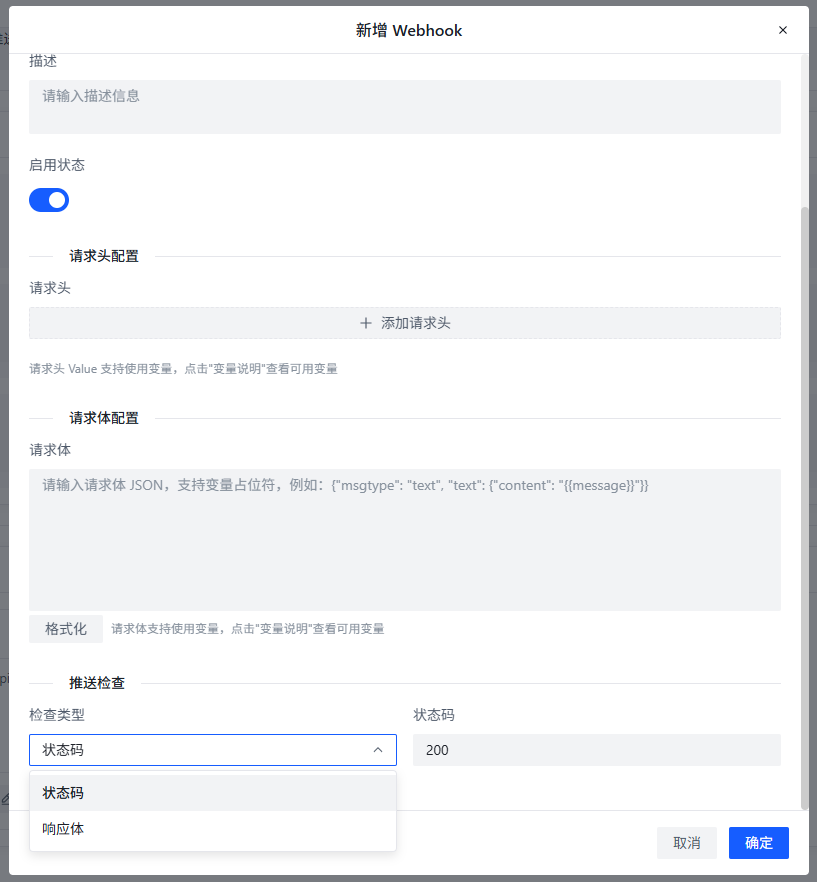
Push Verification

  • Check Type: Set the verification method for WebHook response to ensure notification sending is successful
    • Status Code: Verify whether the response status code is 200. Applicable to standard REST API interfaces.
    • Content: Verify whether the response content contains the specified string. Applicable to custom interfaces or scenarios requiring specific response content.

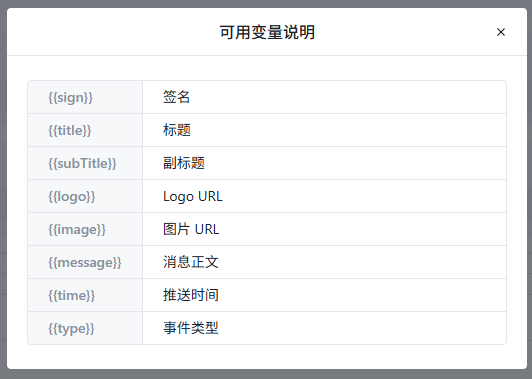
Variable Description

Variable Description

VariableDescription
{{sign}}Signature, used to verify the authenticity of notifications
{{title}}Notification title, briefly describing event content
{{subTitle}}Notification subtitle, providing additional event information
{{logo}}Logo URL, icons or identifiers related to the event
{{image}}Image URL, image resources related to the event
{{message}}Message body, detailed description of event content
{{time}}Push time, timestamp when the event occurred
{{type}}Event type, identifying the category of the event

The above variables are supported in request body and request headers. The plugin will automatically replace them with actual values.

Use Cases

The WebHook plugin is suitable for the following scenarios:

  1. System Monitoring Integration: Push alert information from the AMMDS platform to monitoring systems, such as Prometheus, Grafana, etc.
  2. Workflow Automation: When tasks on the AMMDS platform are completed, trigger subsequent operations of external systems, such as automatic deployment, data synchronization, etc.
  3. Notification Reminders: Push important events to enterprise internal communication tools, such as Enterprise WeChat, DingTalk, Slack, etc.
  4. Data Backup: Regularly push key data from the AMMDS platform to backup systems through WebHook.

Best Practices

  1. Security: Use HTTPS protocol in WebHook URLs to avoid plaintext transmission. For interfaces requiring authentication, use request headers to add authentication information.
  2. Reliability: Reasonably set the number of retries and intervals to ensure notifications can be delivered reliably.
  3. Performance: Avoid executing time-consuming operations in WebHook processing logic to keep responses rapid.
  4. Monitoring: Monitor the sending status of WebHook to discover and resolve problems in a timely manner.
  5. Version Management: When modifying WebHook configuration, pay attention to backward compatibility to avoid affecting existing integrations.