NexusPHP
NexusPHP was initiated and developed by the Nexus team of Zhejiang University. It is an open-source PT (Private Tracker, a type of BT download) software focused on providing a complete, organized, and user-reputation-and-knowledge-oriented resource sharing community solution.
:::info Private Site Note This site requires registration by invitation and has certain thresholds. :::
Plugin Configuration
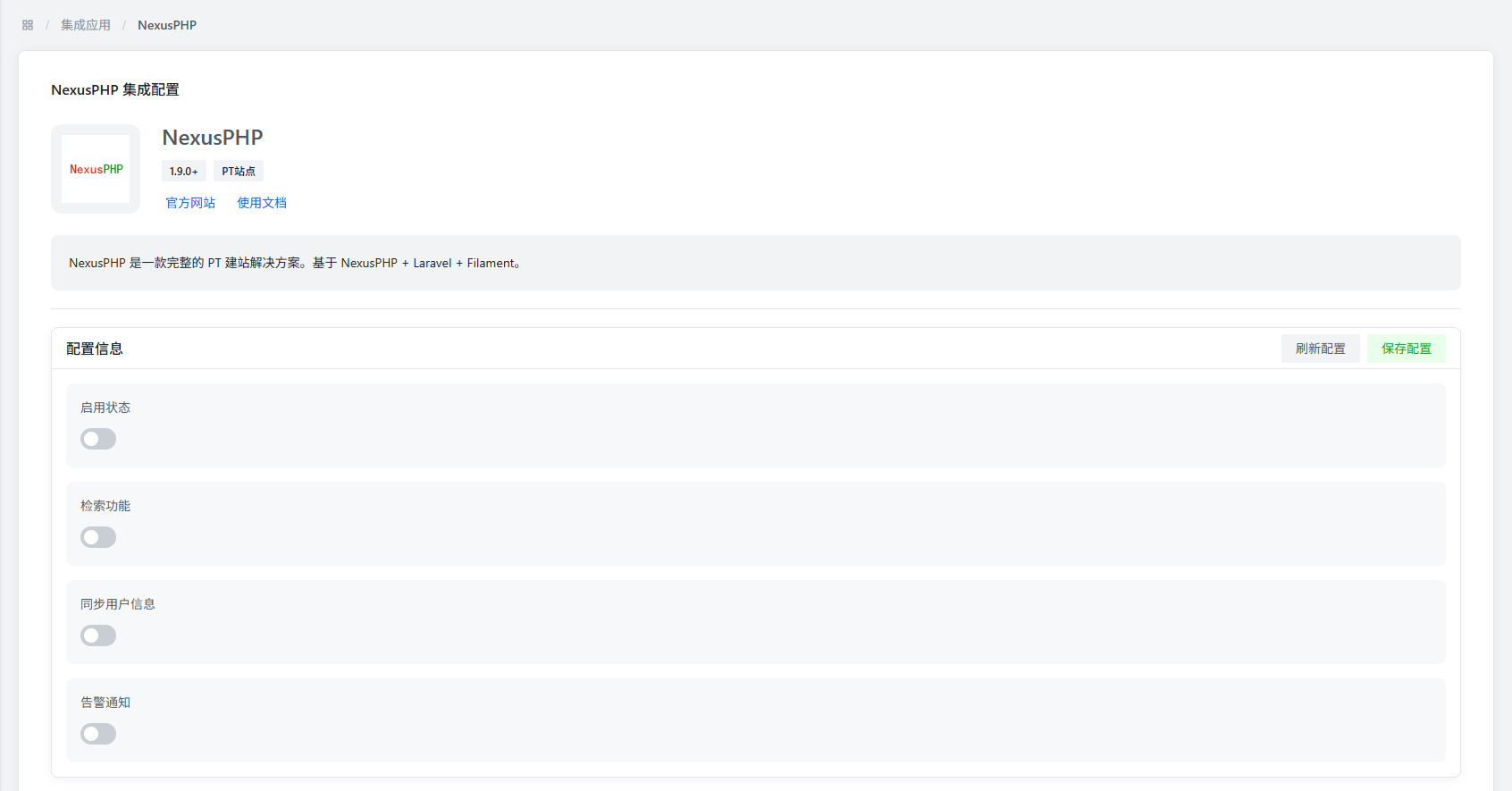
Basic Configuration
- Enable Status锛欳ontrols whether to enable the NexusPHP plugin.
- Search Function锛歐hether to enable the search function of NexusPHP, the default value is disabled.
- Sync User Information锛歐hether to enable the user information synchronization function of NexusPHP, the default value is disabled. User information is used for site ranking display.
- Alert Notification锛歐hether to enable the alert notification function of NexusPHP, the default value is disabled.
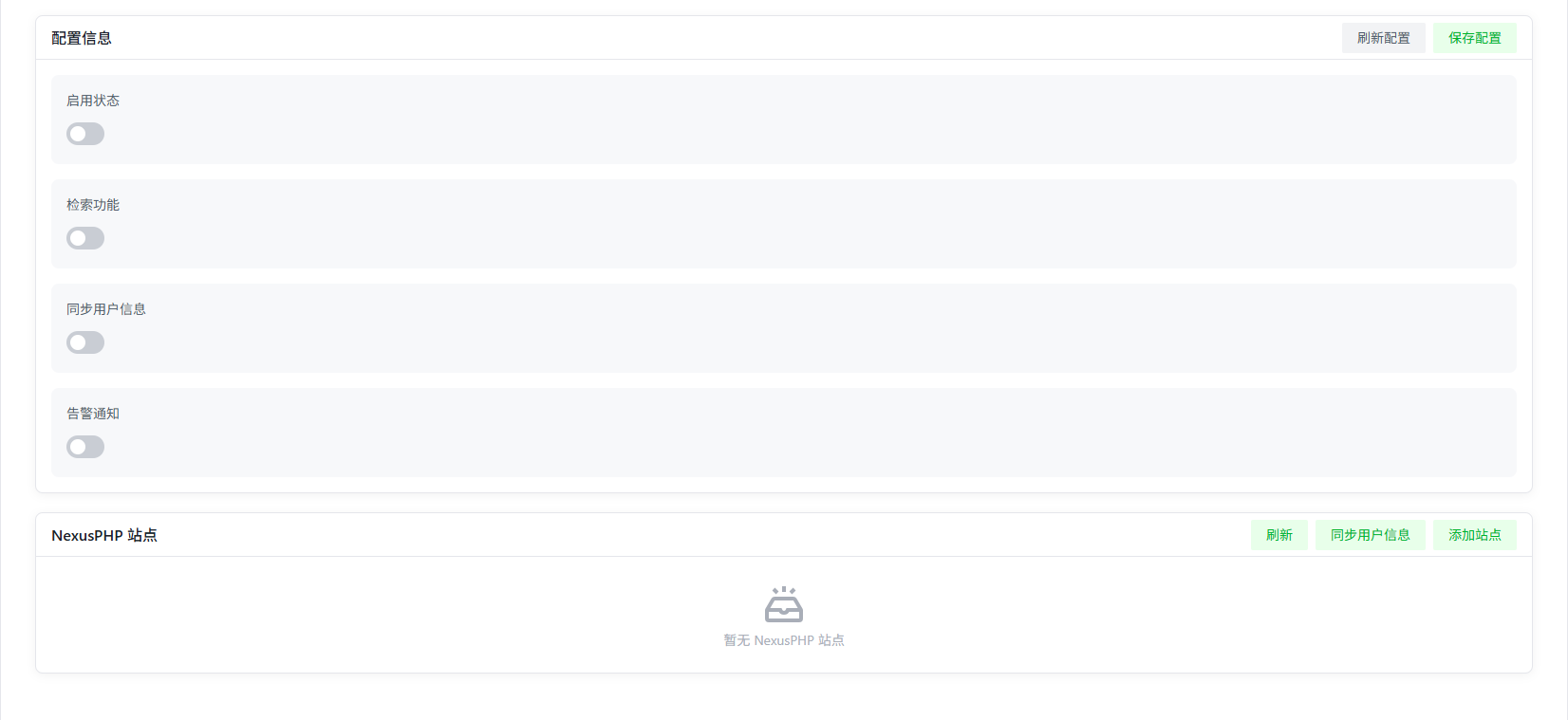
NexusPHP Site Module
Click the "Add Site" button in the upper right corner to add a site.
:::warning Version Requirement NexusPHP site version must be 1.9.0 or higher.
How to check version锛欰t the bottom of the NexusPHP site page, in the Powered by NexusPHP section, click on NexusPHP to view the site version.
:::
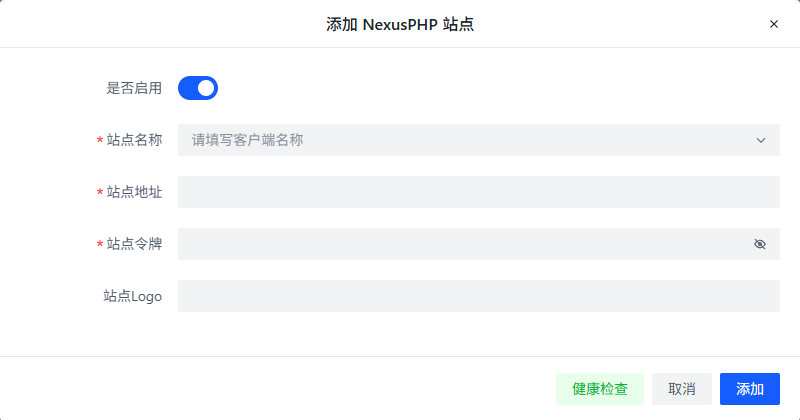
Site Configuration Items
- Enable锛歐hether to enable this site, the default value is disabled.
- Site Name锛歋ite name, used for display in the plugin. In addition to manual input, you can select common site names from the drop-down menu, and the system will automatically fill in the site address.
- Site Address锛歋ite address, used to access the site, the default value is empty.
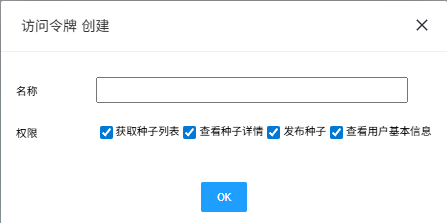
- Site Token锛欳reated by clicking the create button in "Control Panel >> Settings Home >> Access Token".
:::info Permission Requirements Default Permissions锛欸et torrent list, view torrent details, publish torrents, view basic user information.
Minimum Permission Requirements锛欸et torrent list, view torrent details, view basic user information.
Insufficient Permissions锛歐hen permissions are insufficient, the system will prompt Insufficient permissions and cannot add this site normally.
:::
- Site Logo锛歋ite Logo, used for display in the plugin, the default value is empty.