Number Completion Configuration
Number completion is a helper feature that automatically fills in missing parts when recognizing video numbers (番号), making the recognition more accurate and complete.
Access Number Completion Configuration
Go to:
Task Management >> Number Completion Rules
Configuration Interface
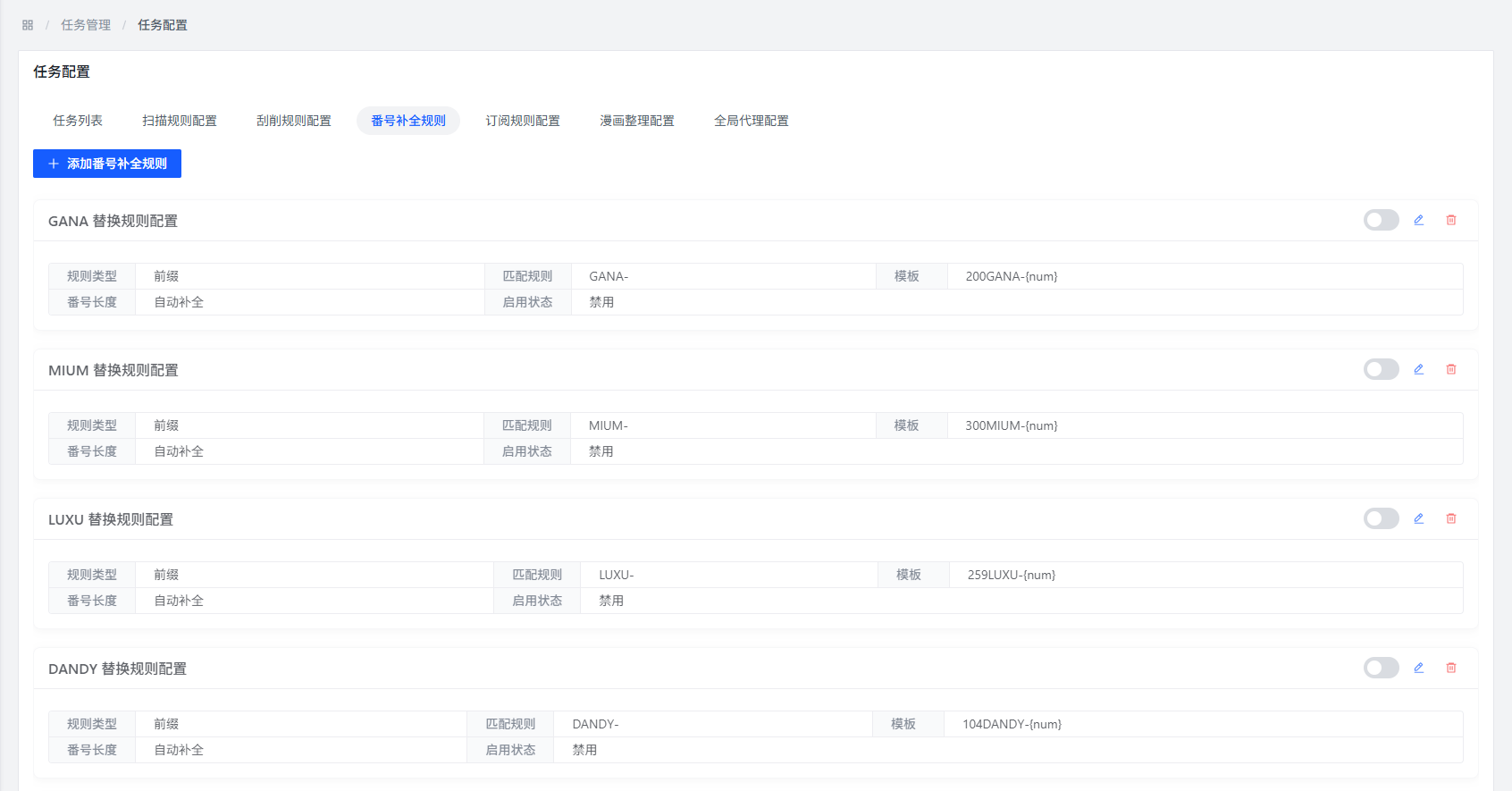
Function Description
Number Completion Rules
What it does: Once you create completion rules, the system will automatically fill in missing parts when recognizing numbers, improving accuracy.
When to use:
- File names have incomplete numbers
- Number formats aren't standard
- Numbers use abbreviations or variant forms
Configuration Method
Create Number Completion Rules
- On the Number Completion Rules page, click the Create button
- Enter a rule name and completion pattern
- Save it
Rule Format
Each number completion rule has two parts:
- Matching Pattern: Identifies which numbers need completion
- Completion Pattern: Specifies how to complete them
Configuration Examples
Here are a few examples to help you understand:
| Rule Name | Matching Pattern | Completion Pattern | Description |
|---|---|---|---|
| Prefix Completion | ^([0-9]+)$ | ABC-$1 | If the number is just digits (e.g., 123), make it ABC-123 |
| Suffix Completion | ^(XYZ)([0-9]+)$ | $1-$2 | If the number is XYZ123, make it XYZ-123 |
| Separator Replacement | ^([A-Z]+)_([0-9]+)$ | $1-$2 | If it uses underscores (e.g., ABC_123), change to ABC-123 |
FAQ
Q: What is number completion?
A: It's a helper feature that automatically completes or fixes incomplete or non-standard numbers during recognition, making the results more accurate.
Q: When would I need this?
A: When your file names have inconsistent, incomplete, or oddly formatted numbers. This helps the system recognize them more accurately.
Q: How do I know if the rules are working?
A: You can verify like this:
- Set up the completion rules
- Run a scan task
- Check the scan results for number recognition
- See if the numbers were completed according to your rules
Q: Can I create multiple completion rules?
A: Yes, you can create several rules. The system will try them in priority order.
Q: What order are the rules applied in?
A: In the order you created them — the earliest one is tried first.
Best Practices
- Name your rules clearly: Use recognizable names for easy maintenance later
- Matching patterns: When using regex, make sure it accurately matches the numbers you want
- Completion patterns: Make sure the completed format follows the standard format
- Don't overdo it: Don't create too many rules, or they might conflict with each other
- Maintain regularly: Review and optimize rules periodically based on actual usage