Site Authentication
Site authentication is how the system "introduces itself" to a website. Once authenticated, you can use advanced features like leaderboards and search.
Accessing the Site Authentication Page
Go to:
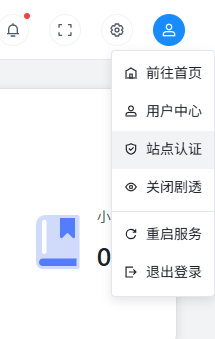
Backend top-right avatar dropdown >> Site Authentication
Authentication Interface
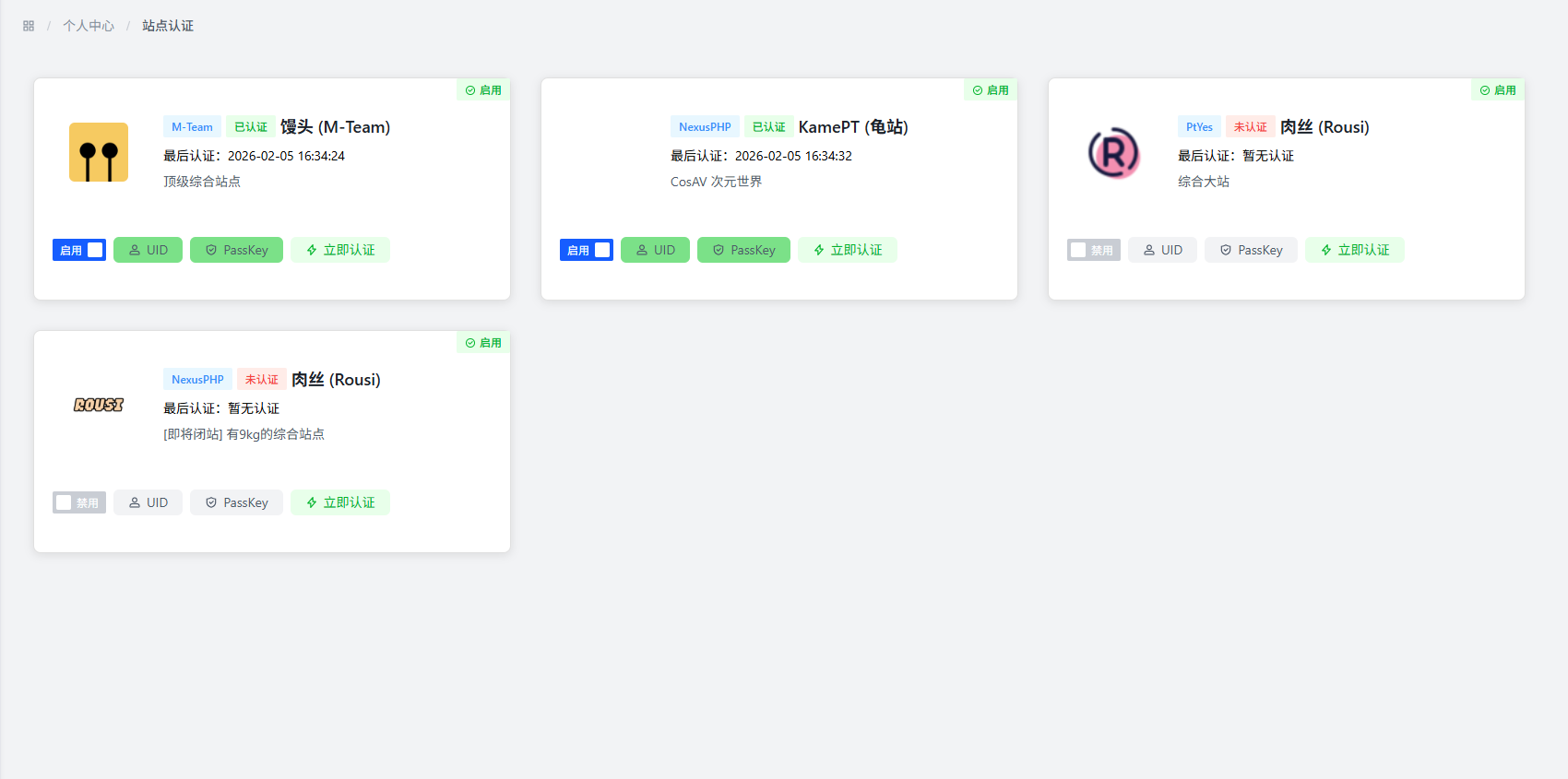
Authentication Method
Select Authentication Site
Pick a site you have an account for from the dropdown.
Fill in Authentication Information
Fill in the following:
- UID: Your user ID on that site, usually a number. For some sites, it's the username you registered with.
- PassKey: The key the site gives you — think of it as your site "password."
Submit Authentication
Once you've filled everything in, just click submit.
How to Get UID and PassKey
Getting the UID
- Most sites show your UID on your profile page
- Some have it in settings or account info
- A few sites use your registration username as the UID
Getting the PassKey
Different sites have different methods. Generally, you can find it here:
- Site Settings: Look for API key or PassKey options in user or security settings
- Profile: Some sites let you view or reset your PassKey on your profile page
- Account Security: Check security-related pages for key management options
Notes
:::warning Important
- Don't leak your PassKey: It's basically your site password — keep it to yourself
- Fill in correct info: Make sure UID and PassKey are right, or authentication will fail
- Update regularly: If you change your password on the site, you may need to re-authenticate here
- Follow site rules: When using authentication features, respect each site's terms of use :::
FAQ
Q: What's the point of site authentication?
A: Once authenticated, you can use advanced features like leaderboards and search for a better experience.
Q: What if authentication fails?
A: Possible reasons:
- UID or PassKey is wrong
- The site server is temporarily unreachable
- Your network has issues
Double-check your info, make sure the site is accessible, and try again.
Q: Can I authenticate multiple sites at once?
A: Yes, you can authenticate as many as you want. Each site's info is independent.
Q: What if my PassKey is leaked?
A: Go reset it on the site immediately, then update the authentication info in the system.
Best Practices
- Check auth status regularly: Make sure your authentication is still valid
- Use a secure network: Don't authenticate over public WiFi
- Keep your auth info safe: Write it down somewhere for future reference
- Follow site rules: Don't misuse the authentication feature
- Update when info changes: If you change anything on the site, update it in the system too