WebHook
The WebHook plugin lets AMMDS send push notifications to specified WebHook URLs, so you can receive real-time system event notifications. Through WebHook, you can push AMMDS events (like task completion, system alerts, status changes, etc.) to external systems and integrate with third-party services.
Plugin Configuration
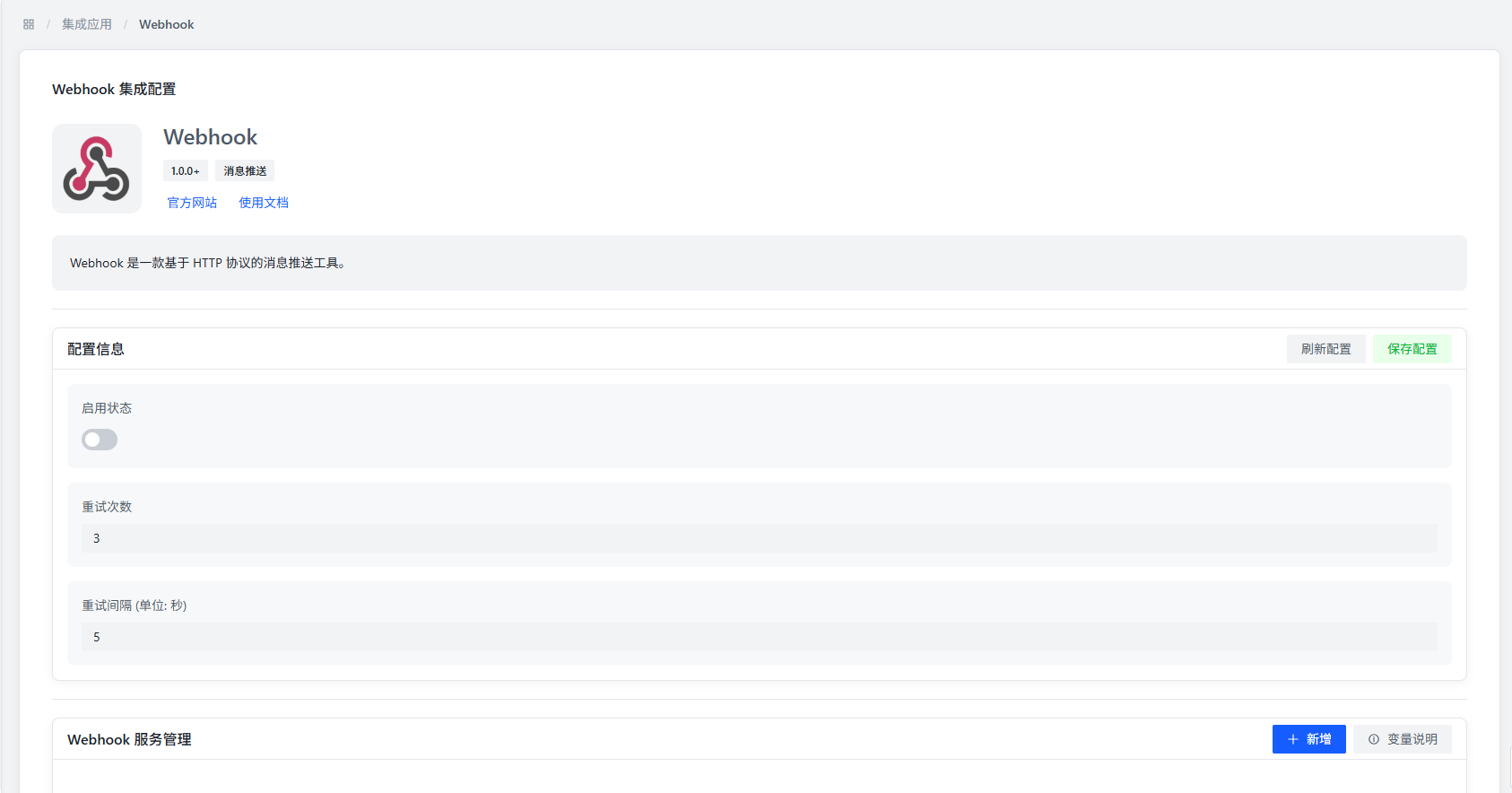
Plugin Config Items
- Enable Status: Controls whether to enable the WebHook plugin. When disabled, all WebHook services stop sending notifications.
- Retry Count: How many times to retry if notification sending fails. When a WebHook request fails, the system will automatically retry based on this setting.
- Retry Interval: The time between retries (in seconds). Setting this reasonably prevents overwhelming the target server.
WebHook Service Configuration
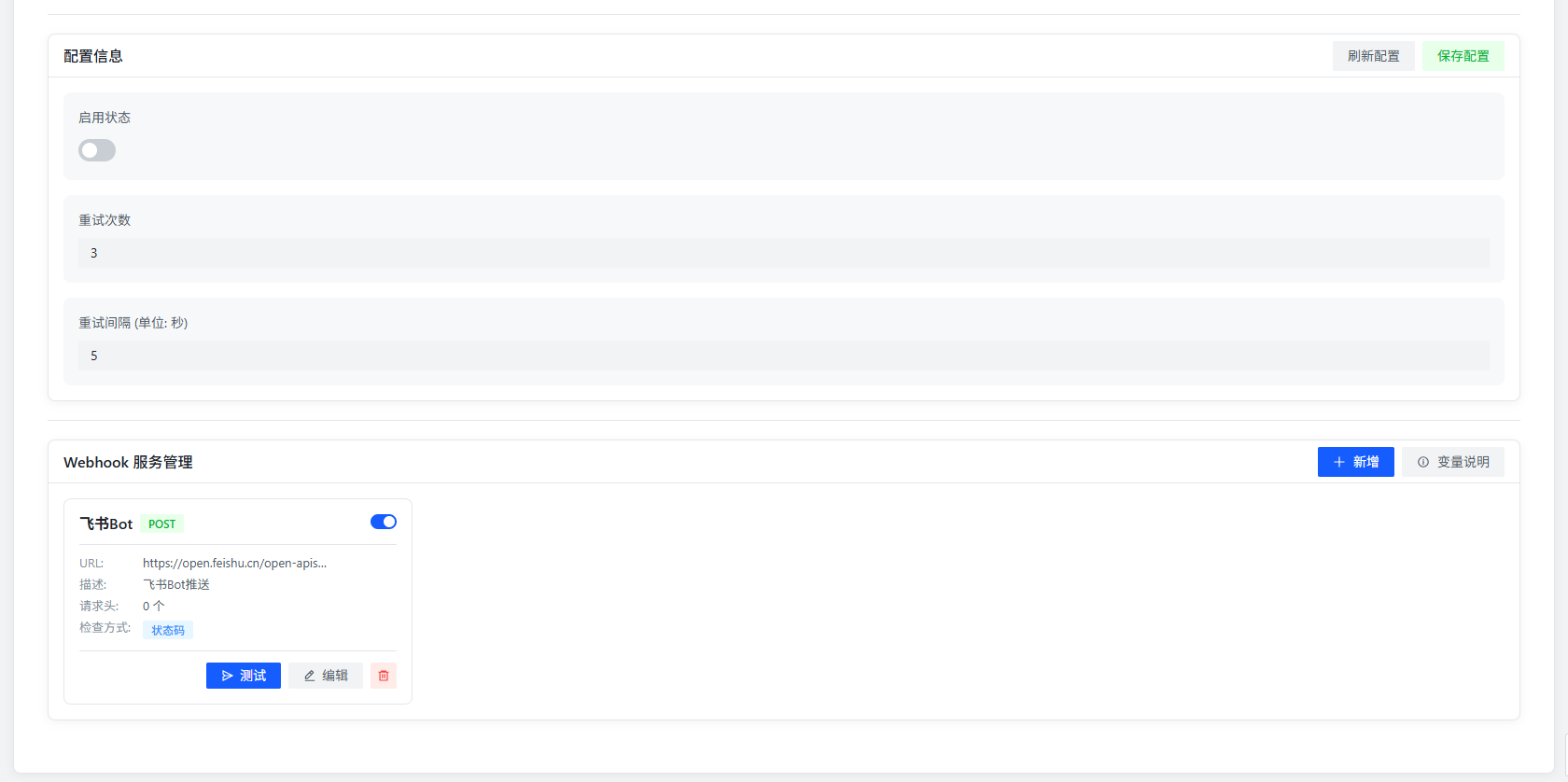
The plugin supports multiple WebHook services at the same time. Each service can have its own URL and notification content format. You can create different WebHook services for different scenarios, like:
- System alert notifications
- Task status change notifications
- Important event notifications
- Data sync notifications
Add WebHook Service
Click the "Add" button to open the config dialog for a new WebHook service.
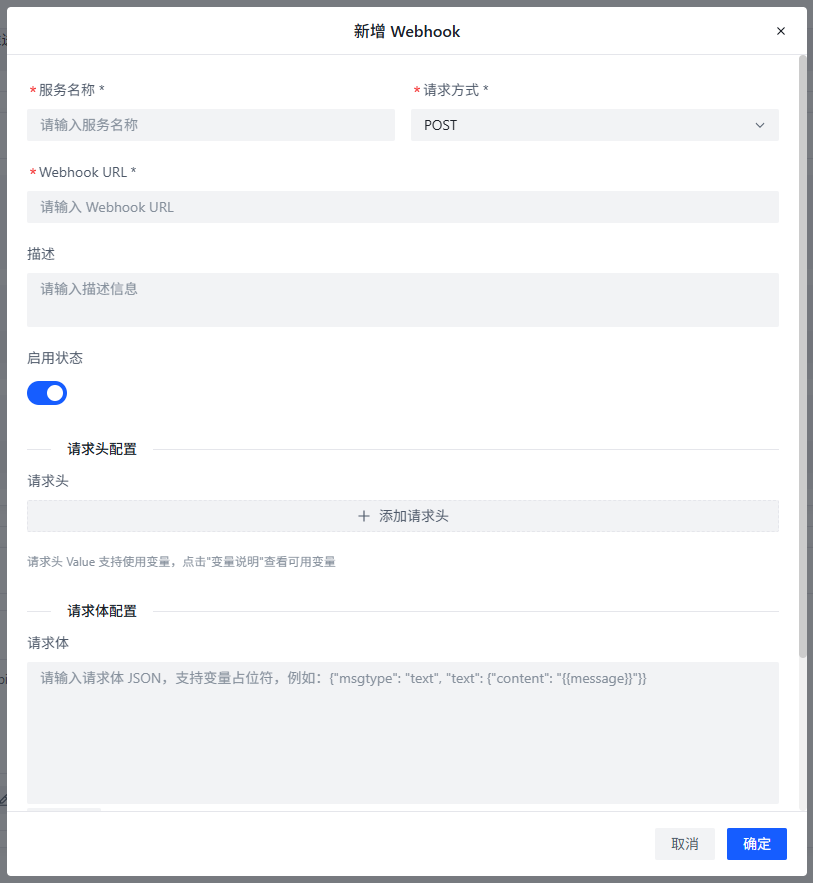
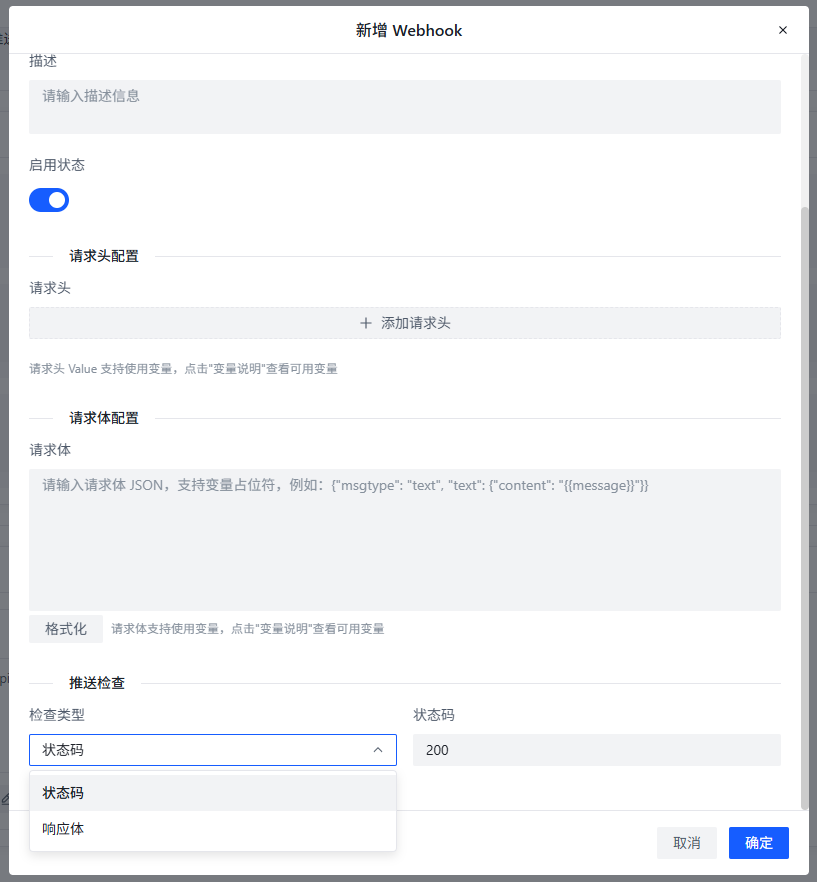
WebHook Service Config Items
Basic Config
- Service Name: Give the WebHook service a name for identification. Use descriptive names like "System Alerts" or "Task Complete."
- URL: The WebHook address to receive push notifications. Make sure this address is accessible and can handle POST requests.
- Description: Add a note about what this WebHook service is for. Detailed descriptions make future maintenance easier.
- Enable Status: Whether this WebHook service is active. When disabled, it stops sending but keeps its config.
Request Header Config
- Request Headers: Set custom request headers for WebHook requests, in
key: valueformat, one per line. Common headers include:Content-Type: application/json: Specifies the request body is JSON.Authorization: Bearer <token>: Adds an auth token for API security.X-Custom-Header: <value>: Custom business header.
- Click "Add" to add multiple custom request headers.
Request Body Config
- Content Format: The request body must be in JSON format. The plugin automatically converts notification content to a JSON string and sends it. You can customize the JSON structure based on what the receiver expects, for example:
{"event": "{{type}}","title": "{{title}}","message": "{{message}}","timestamp": "{{time}}","data": {"logo": "{{logo}}","image": "{{image}}","sign": "{{sign}}"}}
Push Verification
- Check Type: Set how to verify the WebHook response to confirm successful sending.
- Status Code: Check if the response status code is 200. Good for standard REST APIs.
- Content: Check if the response contains a specific string. Good for custom interfaces or when you need specific response content.
Variable Description
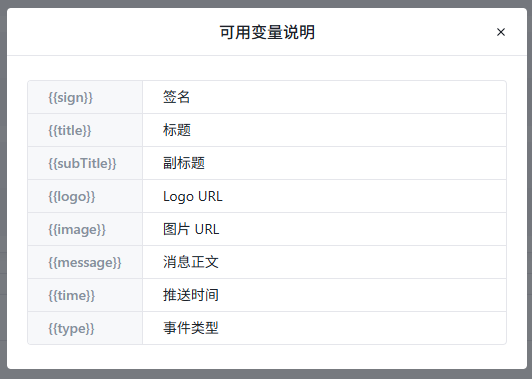
| Variable | Description |
|---|---|
{{sign}} | Signature, used to verify notification authenticity |
{{title}} | Notification title, briefly describes the event |
{{subTitle}} | Notification subtitle, additional event info |
{{logo}} | Logo URL, icon or identifier related to the event |
{{image}} | Image URL, image resources related to the event |
{{message}} | Message body, detailed event description |
{{time}} | Push time, when the event occurred |
{{type}} | Event type, identifies the event category |
You can use these variables in both the request body and request headers. The plugin will automatically replace them with actual values.
Use Cases
The WebHook plugin is great for:
- System Monitoring Integration: Push AMMDS alerts to monitoring systems like Prometheus, Grafana, etc.
- Workflow Automation: When AMMDS tasks complete, trigger external system actions like auto-deployment, data sync, etc.
- Notifications: Push important events to team communication tools like WeChat Work, DingTalk, Slack, etc.
- Data Backup: Periodically push key AMMDS data to backup systems via WebHook.
Best Practices
- Security: Use HTTPS for WebHook URLs. For authenticated interfaces, add auth info in request headers.
- Reliability: Set reasonable retry counts and intervals to ensure reliable delivery.
- Performance: Don't do time-consuming operations in WebHook processing — keep responses fast.
- Monitoring: Keep an eye on WebHook sending status to catch and fix issues early.
- Versioning: When changing WebHook config, be mindful of backward compatibility so existing integrations still work.