Telegram
Telegram is a cloud-based instant messaging app that supports text, voice, video, and images. This plugin lets AMMDS send you push notifications through Telegram — so you get real-time alerts whenever something happens in the system.
Plugin Configuration
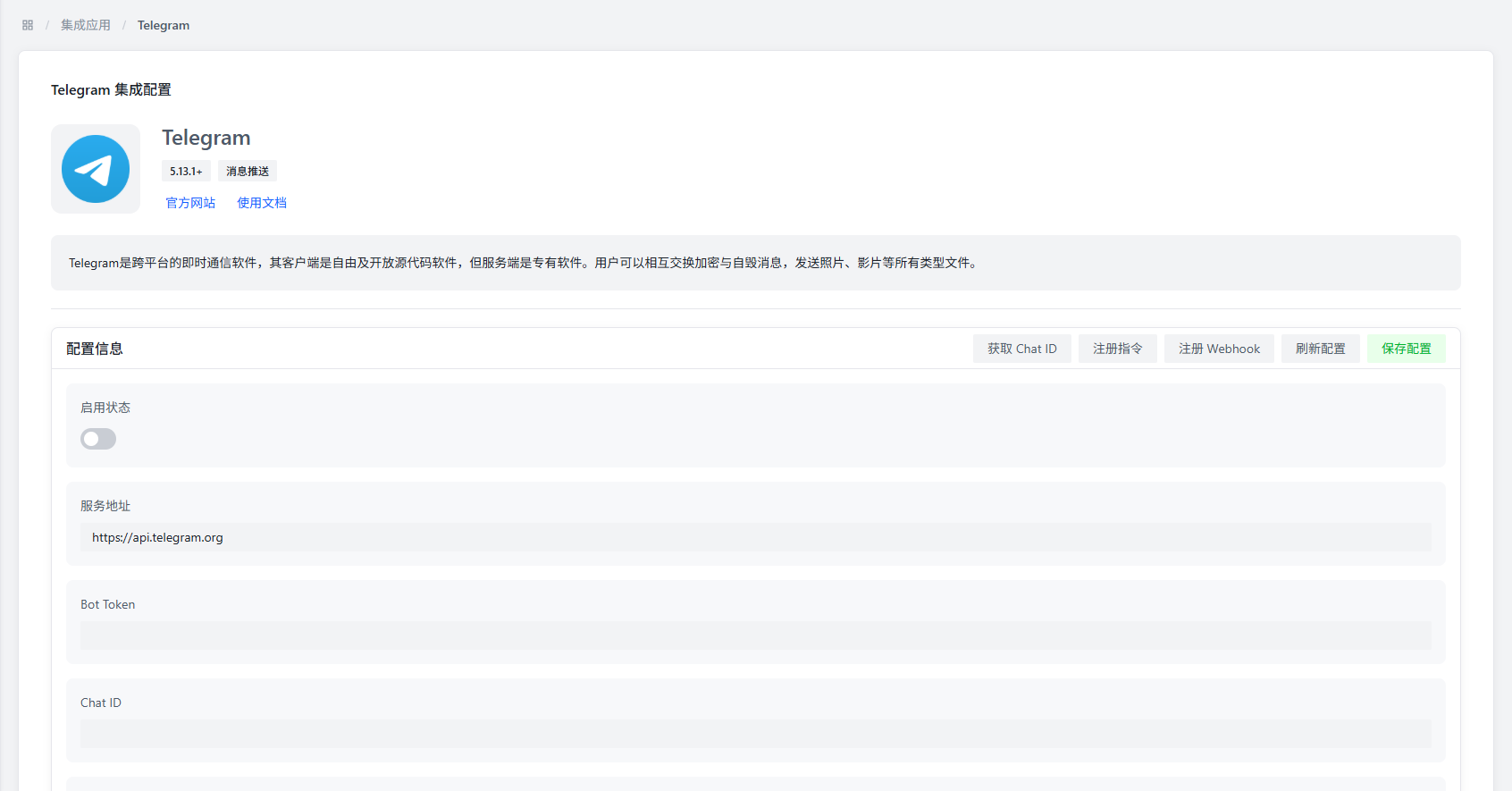
Basic Configuration
| Parameter | Description | Default Value |
|---|---|---|
| Enable Status | Controls whether to enable the Telegram push plugin | Disabled |
| Service Address | Telegram API service address | https://api.telegram.org |
| Bot Token | Telegram bot authentication token | - |
| Chat ID | Unique ID for the target Telegram chat | - |
| Webhook URL | (Optional) Telegram bot webhook callback address | - |
| Spoiler Mode | Controls whether to blur pushed images | Disabled |
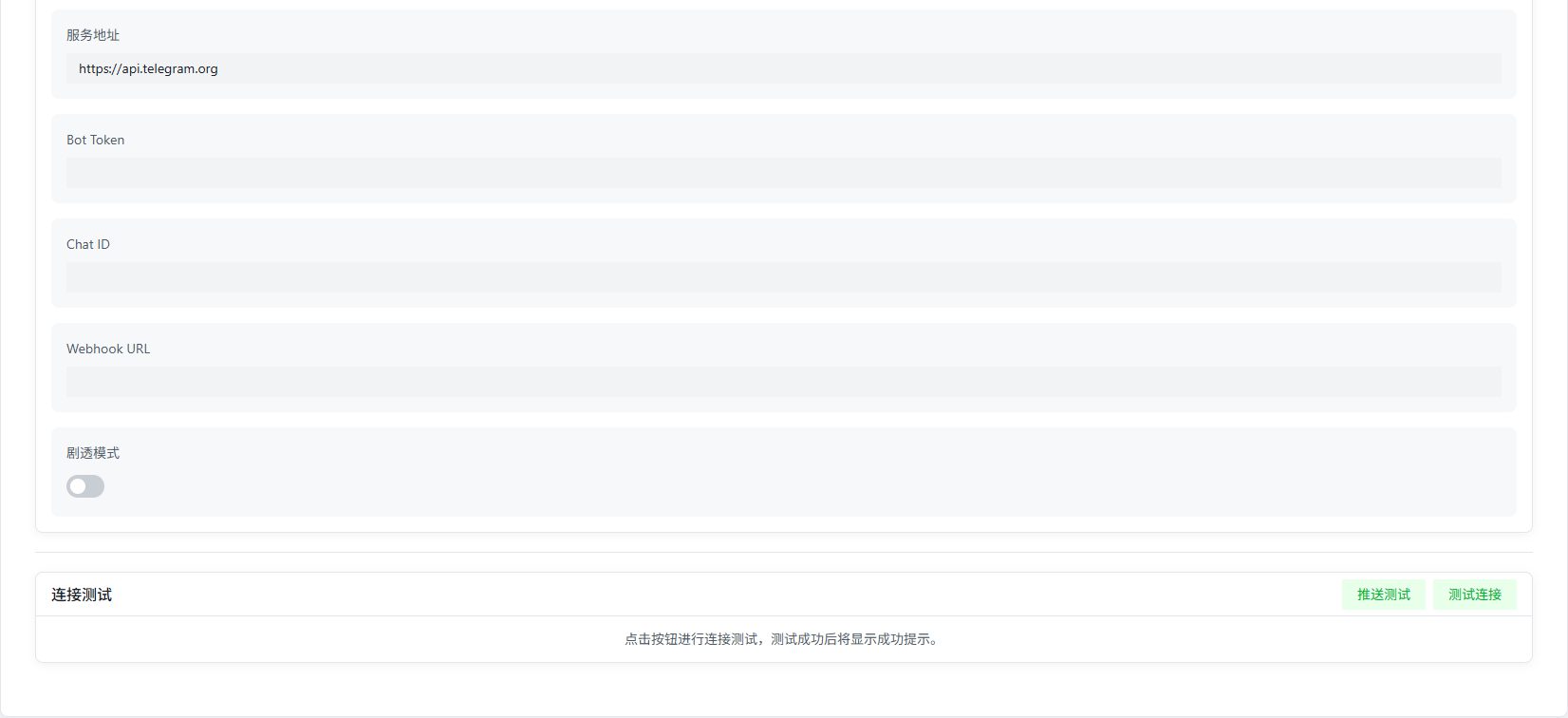
Configuration Notes
- Service Address: Defaults to the official API. You can change it if you want to use a proxy or self-hosted service.
- Bot Token: Get this from the
@BotFatherbot on Telegram. - Chat ID: Get this from the
@RawDataBotbot on Telegram. - Webhook URL: Only recommended if you're deploying with a public network. Non-public setups may not receive messages.
- Spoiler Mode: Adds a blur effect to pushed images to protect privacy.
Getting Auth Info
-
Get Bot Token:
- Search for and start
@BotFatherin Telegram. - Follow the instructions to create a new bot and get the Token.
- Search for and start
-
Get Chat ID:
- Search for and start
@RawDataBotin Telegram. - Send any message, and the bot will reply with info that includes the Chat ID.
- Search for and start
Test Module
Push Test
- What it does: Tests if the Telegram push config is correct.
- How: Click the test button, and the system sends a test message to the configured Chat ID.
- Verify: If it works, you'll receive the test message in the target chat.
Features
- Multi-format Support: Supports text, images, and more.
- Real-time Push: System events get pushed to Telegram instantly.
- Spoiler Protection: Can blur image content for privacy.
- Flexible Config: Supports custom service addresses and Webhooks.
Notes
:::warning Webhook Config If you're not on a public network, don't configure a Webhook URL — you may not receive messages. :::
:::info Service Stability Due to Telegram's network characteristics, make sure your server can stably access the Telegram API. :::
:::tip Security Advice Bot Tokens are sensitive — keep them safe and don't share them with unauthorized people. :::