ThePornDB
ThePornDB is a professional adult video metadata management tool. Its main job is to rename video files so that media servers like Plex, Jellyfin, and Stash scripts can automatically match metadata — no manual renaming needed. It supports both server mode and command-line mode for easy media library management.
Official Site: https://theporndb.net/
Core Features
- 🎯 Auto Matching: Automatically identifies video files and finds matching metadata.
- 🔧 Multi-mode Operation: Supports both server and command-line modes.
- 🌍 Cross-platform: Seamlessly integrates with Plex, Jellyfin, and other major media servers.
- 📦 Rich Data Sources: Provides comprehensive video metadata.
- 🔗 Stash-Box Support: Compatible with the Stash-Box metadata management system.
Stash-Box
Stash-Box is a self-hosted metadata management system written in Go, designed for organizing and serving all kinds of content collections — both SFW and NSFW.
Official Site: https://docs.stashapp.cc/
Plugin Configuration
Prerequisites
Before configuring the plugin, get these things ready:
ThePornDB
Account Registration
Visit ThePornDB's official registration page to create an account:
- Registration: https://theporndb.net/register
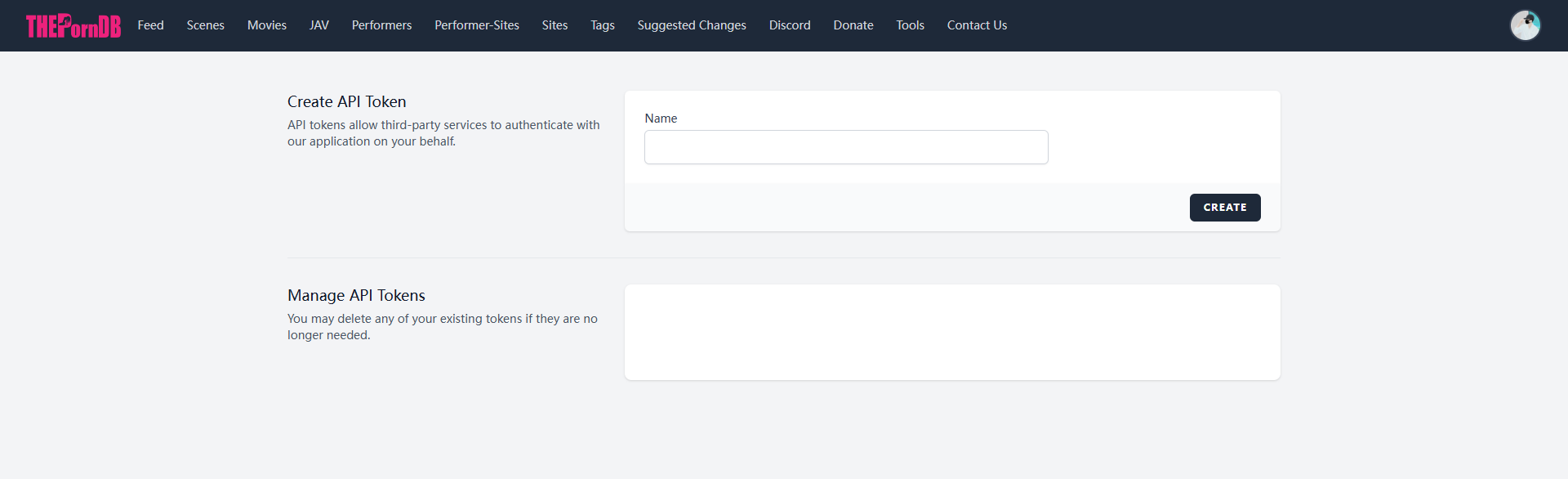
Get Your API Key
After registering, log in and get your API key:
- API Key Page: https://theporndb.net/user/api-tokens
Stash-Box
Stash-Box is the metadata management component of the Stash project, providing standardized metadata storage and search:
Official Instances
Visit the Stash-Box official docs to see supported public instances:
:::info Instance Info This page shows all public sites supported by Stash-Box, including ThePornDB. You can also deploy your own private Stash-Box instance following the official docs. :::
:::tip Compatibility ThePornDB can also be used as a Stash-Box client for richer metadata. :::
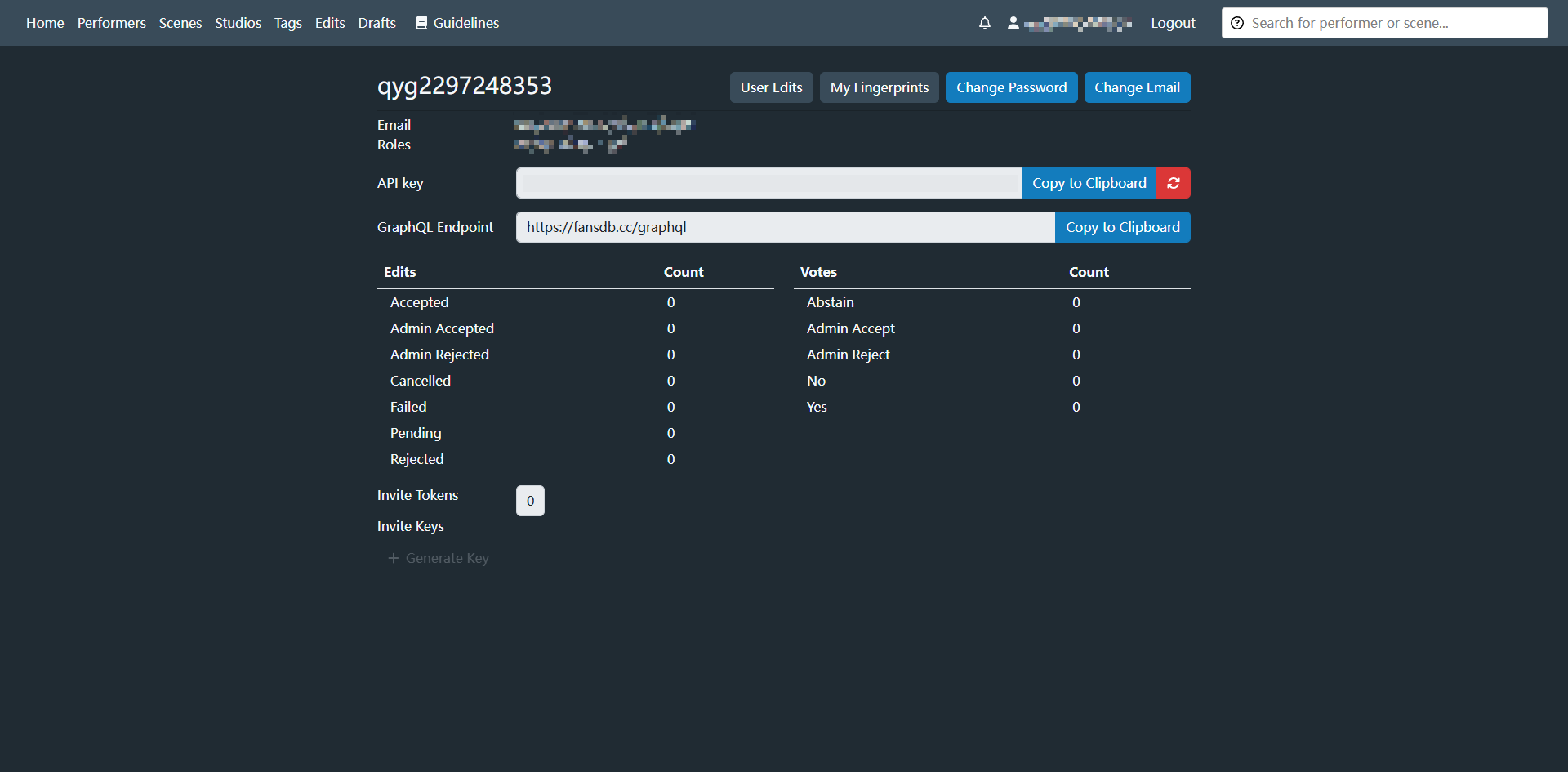
Get Your API Key
Log into your chosen Stash-Box instance, generate and get an API key in user settings — you'll need it for client configuration later.
Configuration
In the AMMDS management interface, go to "Integrated Applications" → "Metadata" → "ThePornDB."
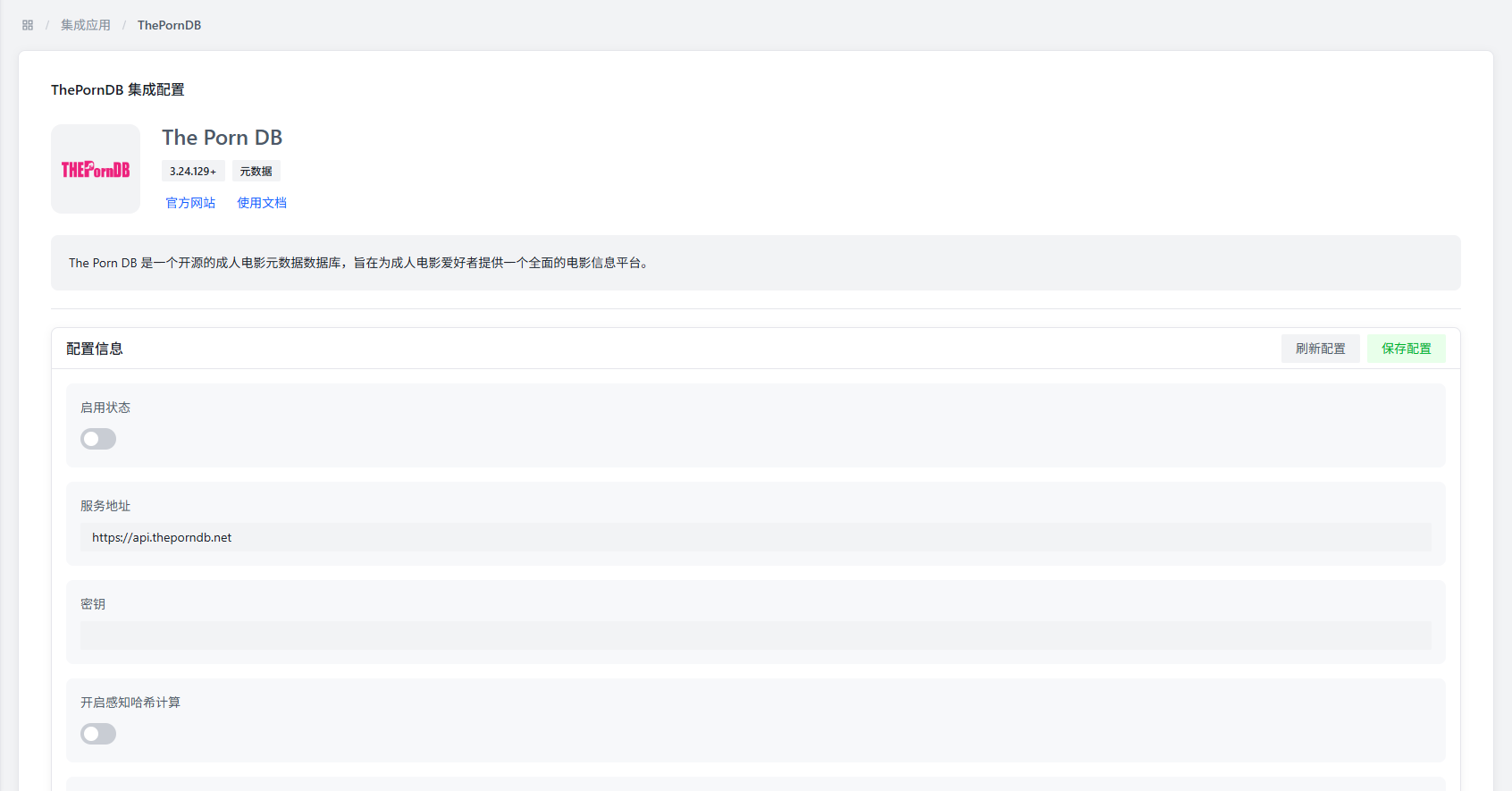
Basic Config Parameters
| Parameter | Description | Default Value | Recommendation |
|---|---|---|---|
| Startup Status | Controls whether to enable ThePornDB plugin | Disabled | Enable as needed |
| Service Address | ThePornDB service address | https://theporndb.net | Official address is stable — no need to change |
| API Key | ThePornDB API key for authentication | - | Enter the API key from the official site |
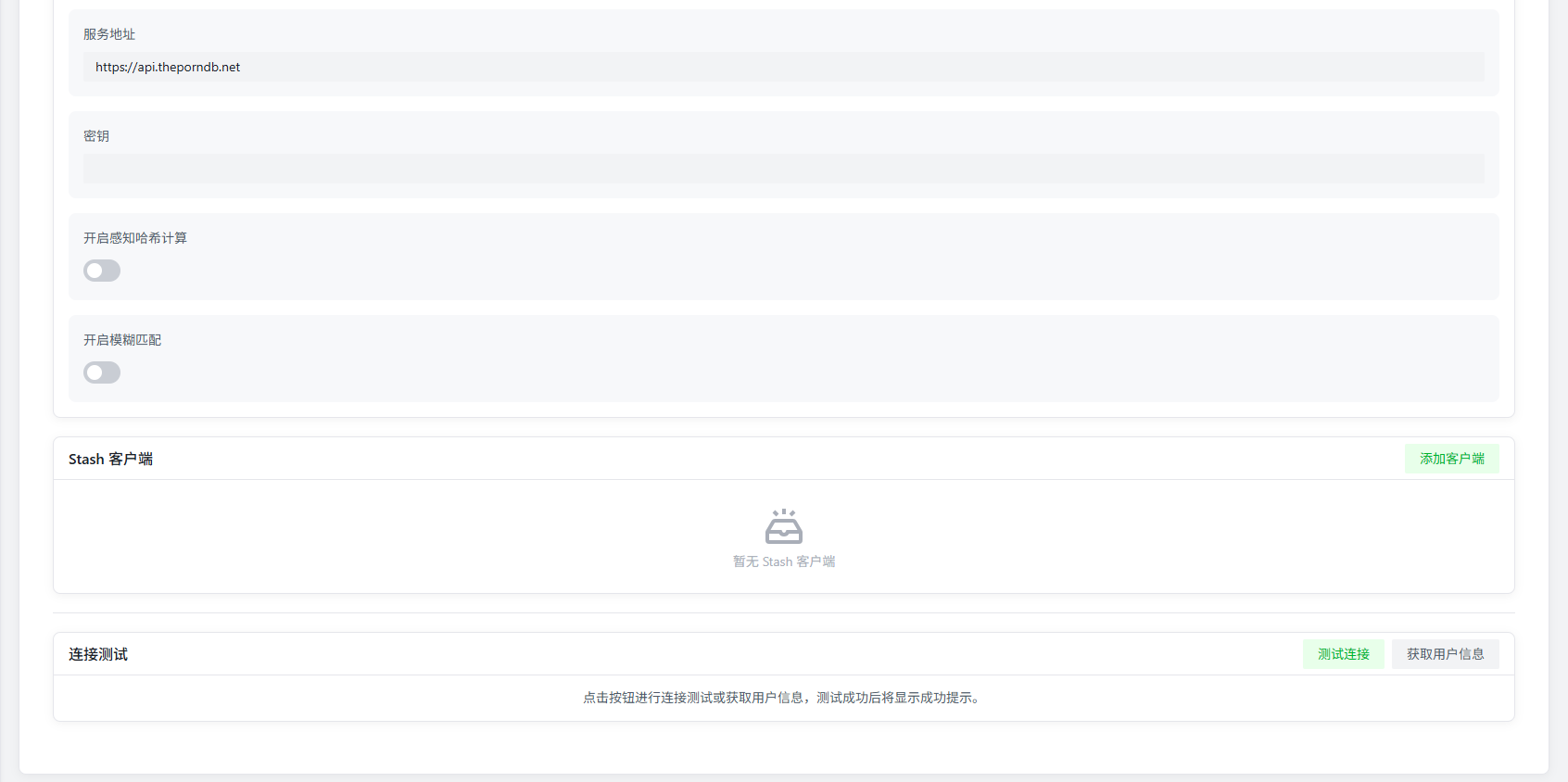
Advanced Config Parameters
| Parameter | Description | Default Value | Recommendation |
|---|---|---|---|
| Perceptual Hash Calculation | Whether to enable video perceptual hash (analyzes video features for identification) | Enabled | Depends on original video files — disable for non-standard videos |
| Fuzzy Matching | Whether to do fuzzy matching by file name | Disabled | Recommended if perceptual hash is disabled |
:::info Config Notes
- Perceptual hash improves recognition accuracy but uses more system resources.
- Fuzzy matching works well when file names are standardized but video files are unusual. :::
Stash Client
By configuring Stash-Box clients, you can get even more metadata:
Add Client
Click the "Add Client" button to open the Stash-Box client config:
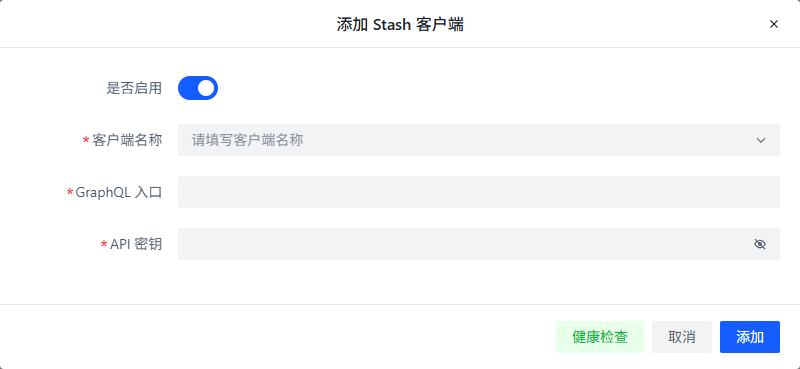
Config Parameters
| Parameter | Description | Recommendation |
|---|---|---|
| Enabled | Controls whether this Stash-Box client is active | Enable as needed |
| Client Name | Custom client identifier | Use the site name for easy recognition |
| GraphQL Address | Stash-Box site API address | Select from dropdown or enter the full URL manually |
| API Key | Stash-Box site access key | Enter the API key from the corresponding site |
Configuration Methods
- Select Preset Site: Pick an official preset Stash-Box site from the client name dropdown — the GraphQL address fills in automatically.
- Manual Configuration: For a custom Stash-Box instance, enter:
- GraphQL Address: Usually
https://{site}/graphqlformat. - API Key: Generate this in the Stash-Box site's user settings.
- GraphQL Address: Usually
:::tip Recommendations
- Add multiple Stash-Box clients for more comprehensive metadata.
- Priority order affects metadata retrieval order — adjust as needed. :::
Test Module
The test module helps verify plugin configuration and service status:
Test Functions
| Function | Description | Purpose |
|---|---|---|
| Test Connection | Verifies connectivity to the ThePornDB service address | Confirms the network is OK and the address is reachable |
| Get User Info | Tries to retrieve and show ThePornDB account info | Verifies the API key is correct and authorization succeeded |
Usage Tips
- Test before saving: Try the connection test first to make sure the service address is fine.
- Verify API key: Use "Get User Info" to check if the API key is valid.
- Troubleshoot: When metadata retrieval fails, the test functions can help you quickly find the issue.
:::info Test Notes
- Test Connection only checks network — not service status.
- Get User Info requires a valid API key and network connection. :::
Common Issues
Service Connection Failure
Possible causes:
- Network issues
- Wrong service address
- Invalid API key
Solutions:
- Check network connectivity
- Verify the service address format
- Confirm the API key isn't expired or wrong
- Try the official default service address
Metadata Retrieval Failure
Possible causes:
- Non-standard video file naming
- Perceptual hash calculation failed
- Data source site temporarily unavailable
Solutions:
- Enable fuzzy matching
- Check if the video format is supported
- Try a different Stash-Box client
- Retry later
Stash-Box Client Config Error
Possible causes:
- Wrong GraphQL address format
- Insufficient API key permissions
- Site access restrictions
Solutions:
- Make sure the GraphQL address has the full path
- Ensure the API key has sufficient permissions
- Check if the network can reach the site
- Try a different Stash-Box instance
Performance Issues
Possible causes:
- Perceptual hash using system resources
- Multiple clients requesting simultaneously
- High network latency
Solutions:
- For low-powered devices, consider disabling perceptual hash
- Configure client priorities to avoid simultaneous requests
- Pick Stash-Box instances with lower latency
:::tip Best Practices
- Update API keys regularly for security.
- Only add the Stash-Box clients you need to avoid wasting resources.
- Use ThePornDB and Stash-Box together for more comprehensive metadata. :::