Emby
Emby is a powerful multimedia management tool for organizing, managing, and sharing your videos, music, and other digital files. Through this plugin, AMMDS can connect with Emby to sync metadata and manage media libraries.
Plugin Configuration
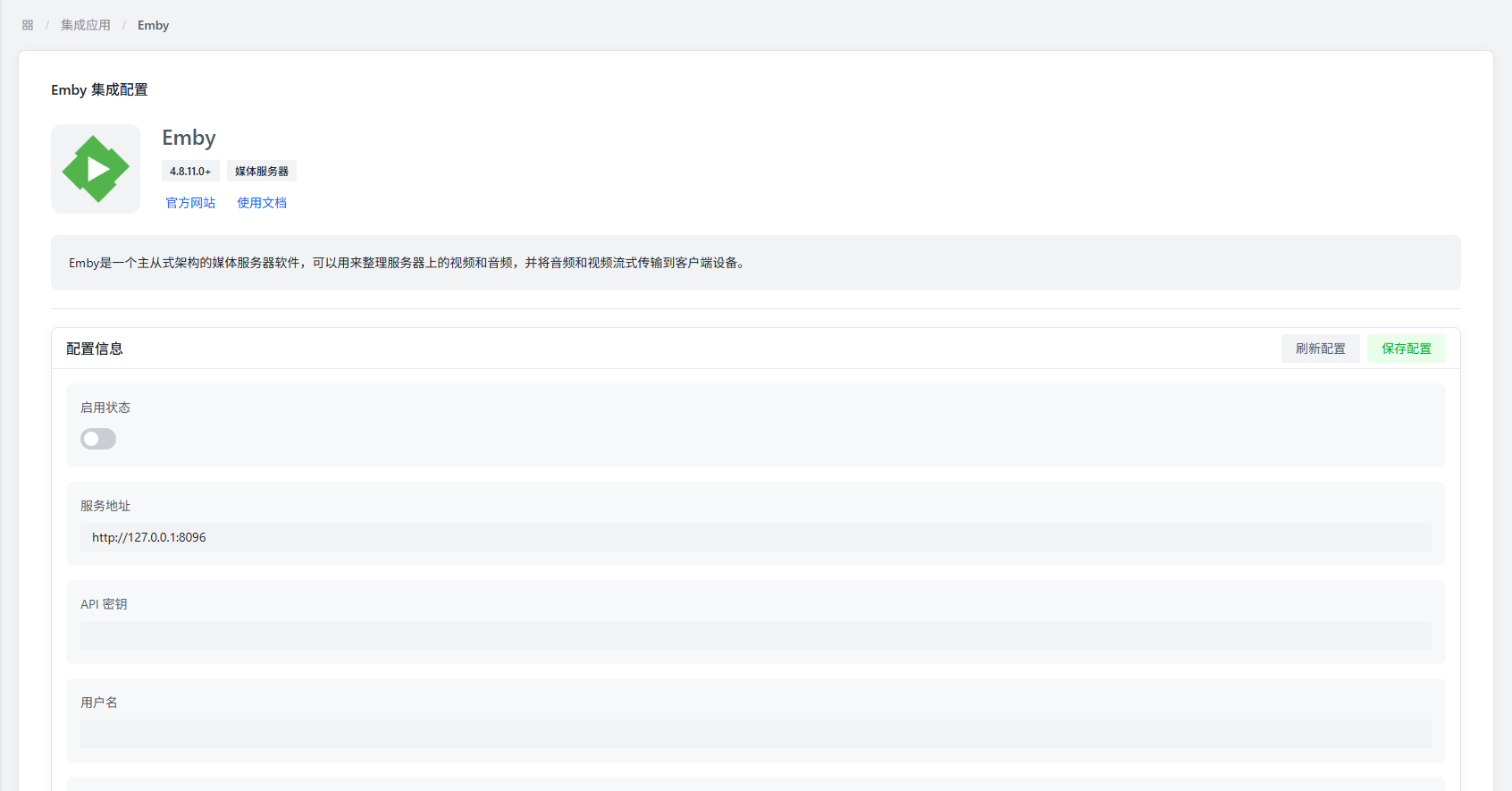
Basic Configuration
| Parameter | Description | Default Value |
|---|---|---|
| Enable Status | Controls whether to enable the Emby plugin | Disabled |
| Service Address | Emby server access address | http://127.0.0.1:8096 |
| API Key | Emby server authentication token | - |
| Username | (Optional) Emby login username | - |
| Password | (Optional) Emby login password | - |
| Bind User | Select the Emby user account to bind | - |
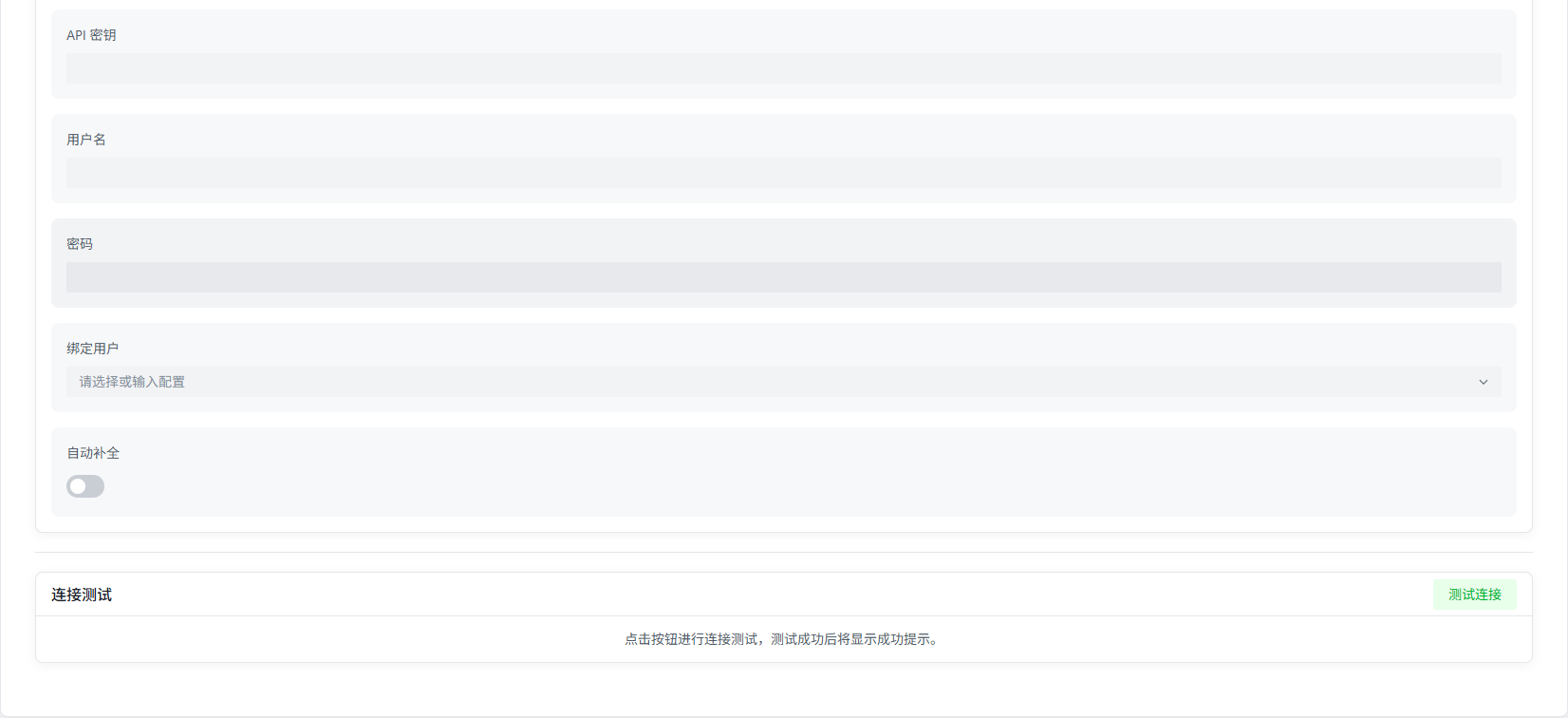
Configuration Notes
- Service Address: Use the server's actual network address. Don't use
localhostor127.0.0.1, or it may not connect properly in Docker deployments. - API Key: Generate this in Emby's admin panel at "System" → "Advanced" → "API Keys."
- Bind User: You must enter the correct service address and API key and save first, then you can select a user from the dropdown.
Connection Verification
- Network Connectivity: Make sure the AMMDS server can reach the Emby service address.
- Authentication: The API key needs sufficient permissions to perform the required operations.
- Service Status: Make sure Emby is running and can respond to API requests.
Features
- Metadata Sync: Bidirectional metadata sync with Emby media libraries.
- User Binding: Bind to a specific Emby user for personalized setup.
- Status Monitoring: Monitors Emby server status in real-time.
Notes
:::warning Service Address
Don't use localhost or 127.0.0.1 as the service address, especially in Docker environments — it may cause connection issues.
:::
:::info API Key Permissions It's recommended to create a dedicated API key for AMMDS with only the necessary permissions — more secure that way. :::