Version: v1.6.49

Network Proxy Configuration

Network proxy configuration is used to set the proxy server used by the program when accessing network resources, ensuring the program can normally access resources that require a proxy to access.

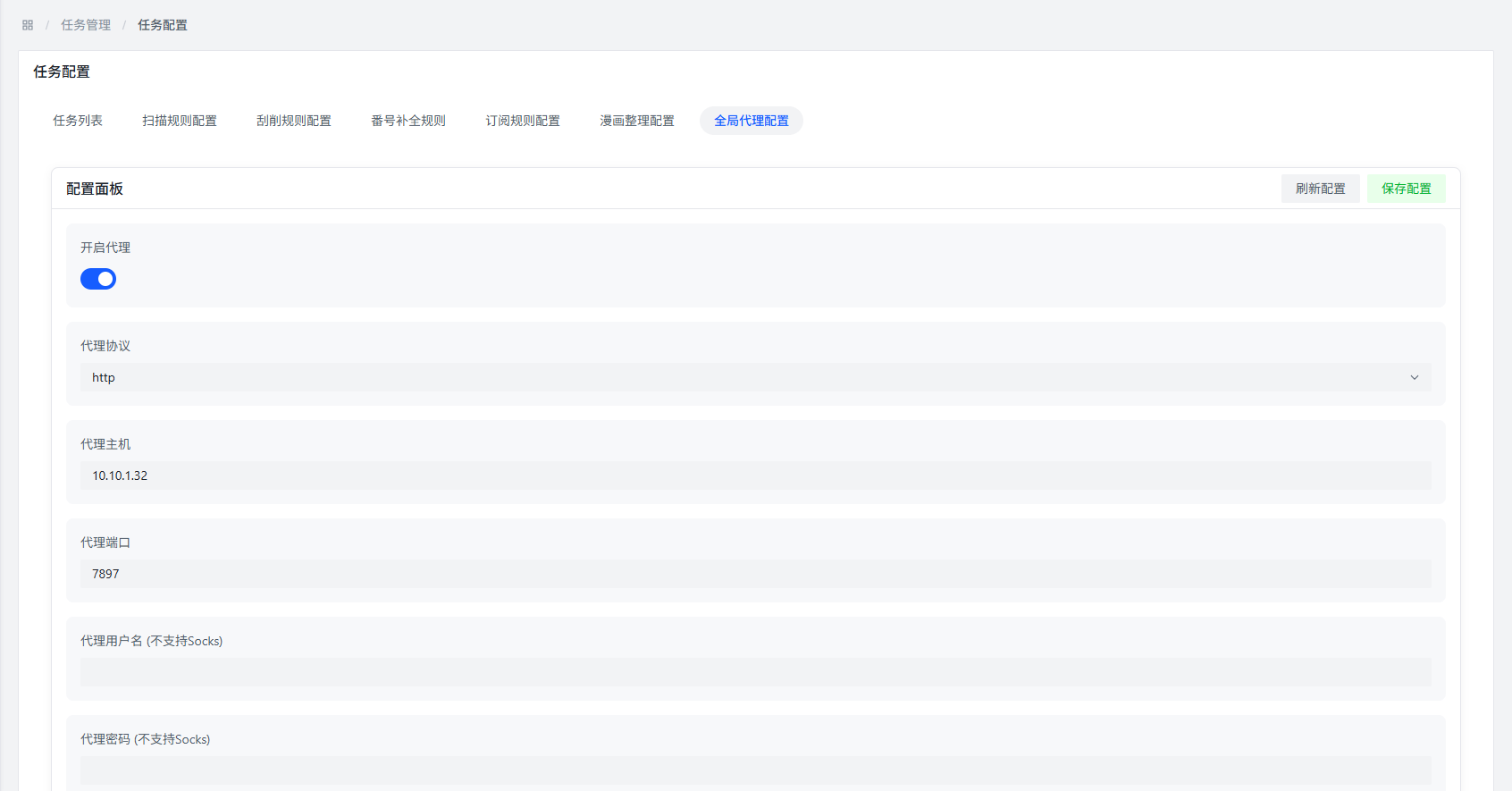
Access Network Proxy Configuration

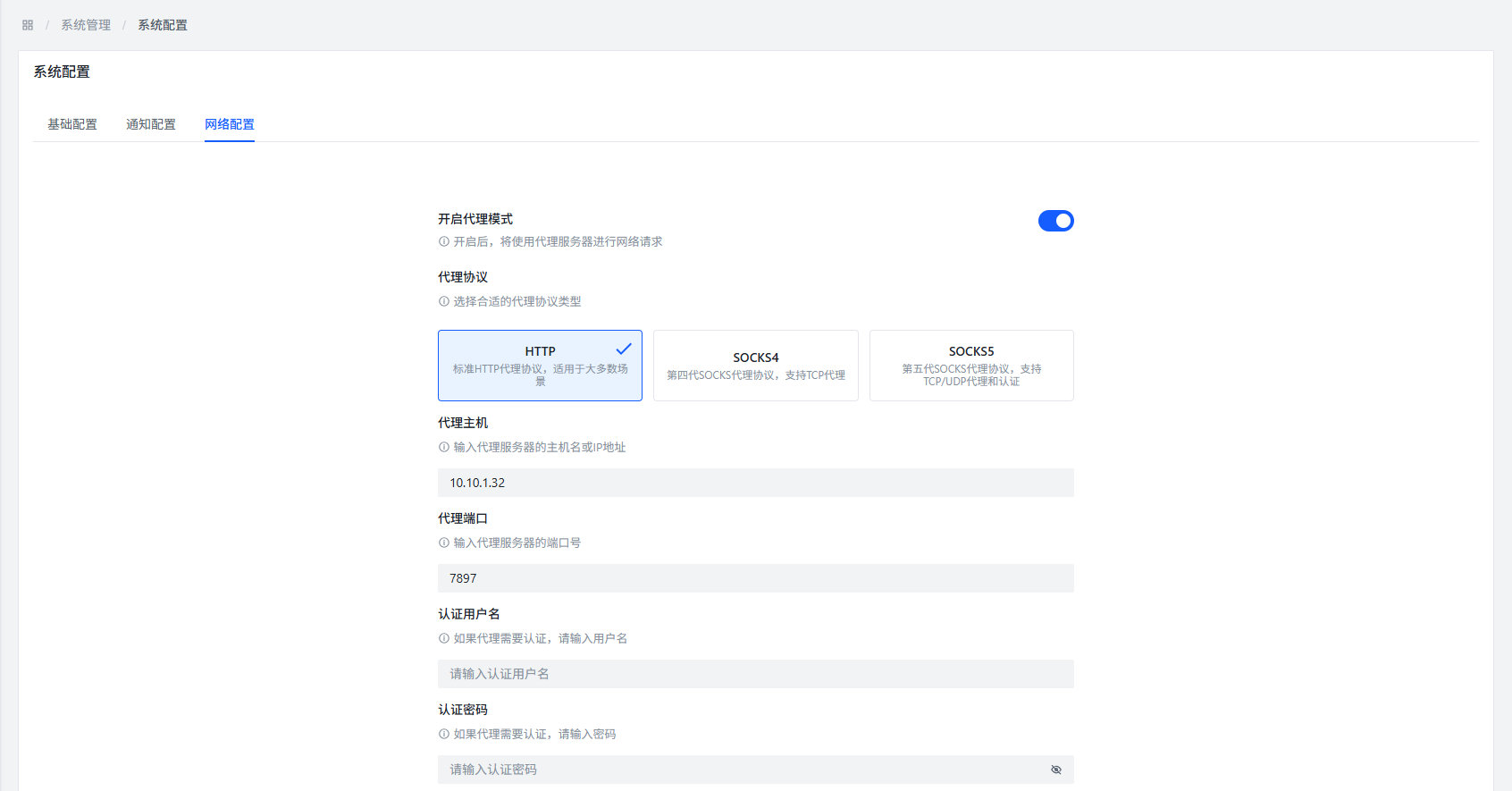
You can access the network proxy configuration page through the following two paths:

  1. Task Management >> Network Proxy
  2. System Management >> System Configuration >> Network Configuration

Configuration Interface

Network Proxy Configuration

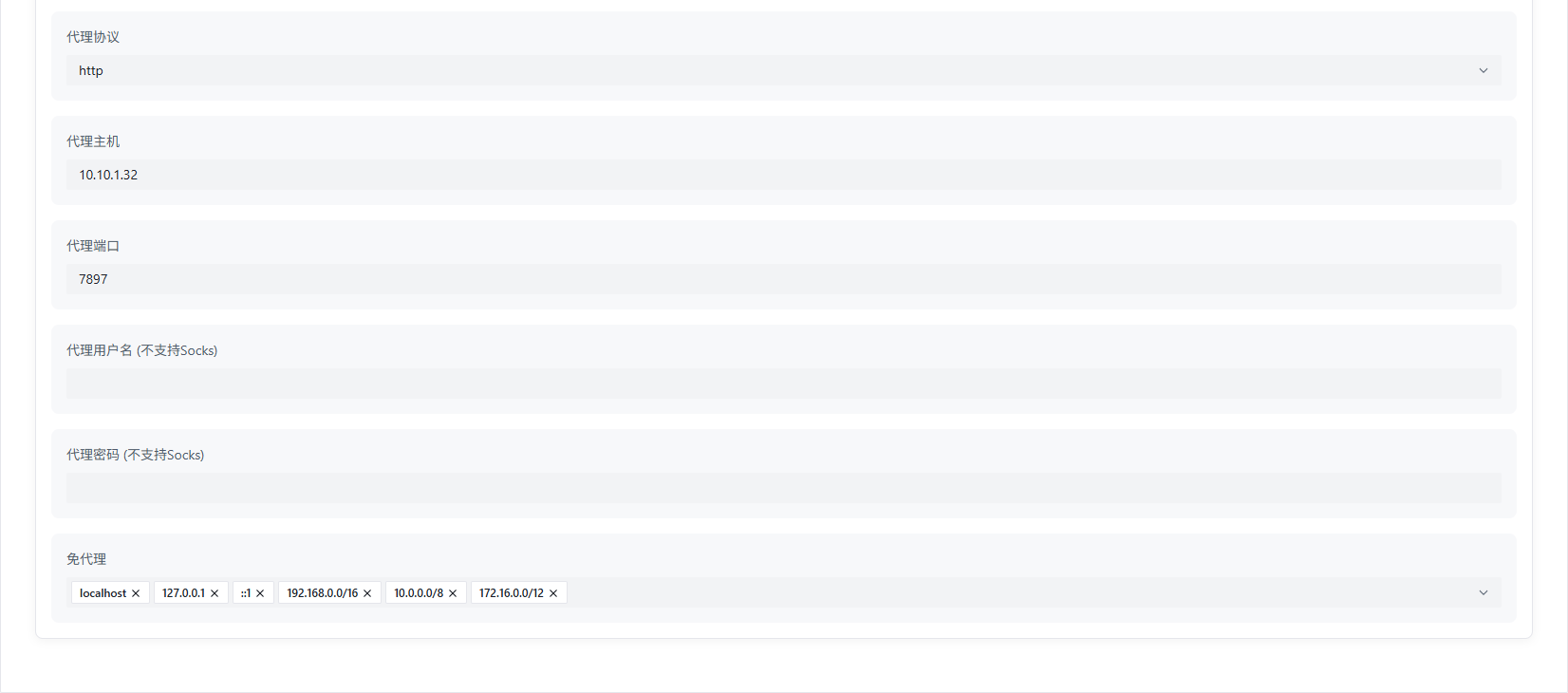
Network Proxy Configuration

Configuration Item Description

Enable Proxy

Function Description: Set whether to enable the network proxy function.

Role: After enabling, the program will access network resources through the configured proxy server.

Proxy Protocol

Function Description: Select the protocol type of the network proxy.

Optional Protocols:

  • HTTP
  • SOCKS4
  • SOCKS5

Suggestion: Choose the appropriate protocol based on your proxy server type.

Proxy Host

Function Description: Enter the host address of the network proxy server.

Format: Can be an IP address (such as 192.168.1.1) or a domain name (such as proxy.example.com).

Proxy Port

Function Description: Enter the port number of the network proxy server.

Common Ports:

  • HTTP proxy: 8080, 3128
  • SOCKS proxy: 1080

Username

Function Description: If the network proxy server requires authentication, enter the authentication username.

Password

Function Description: If the network proxy server requires authentication, enter the authentication password.

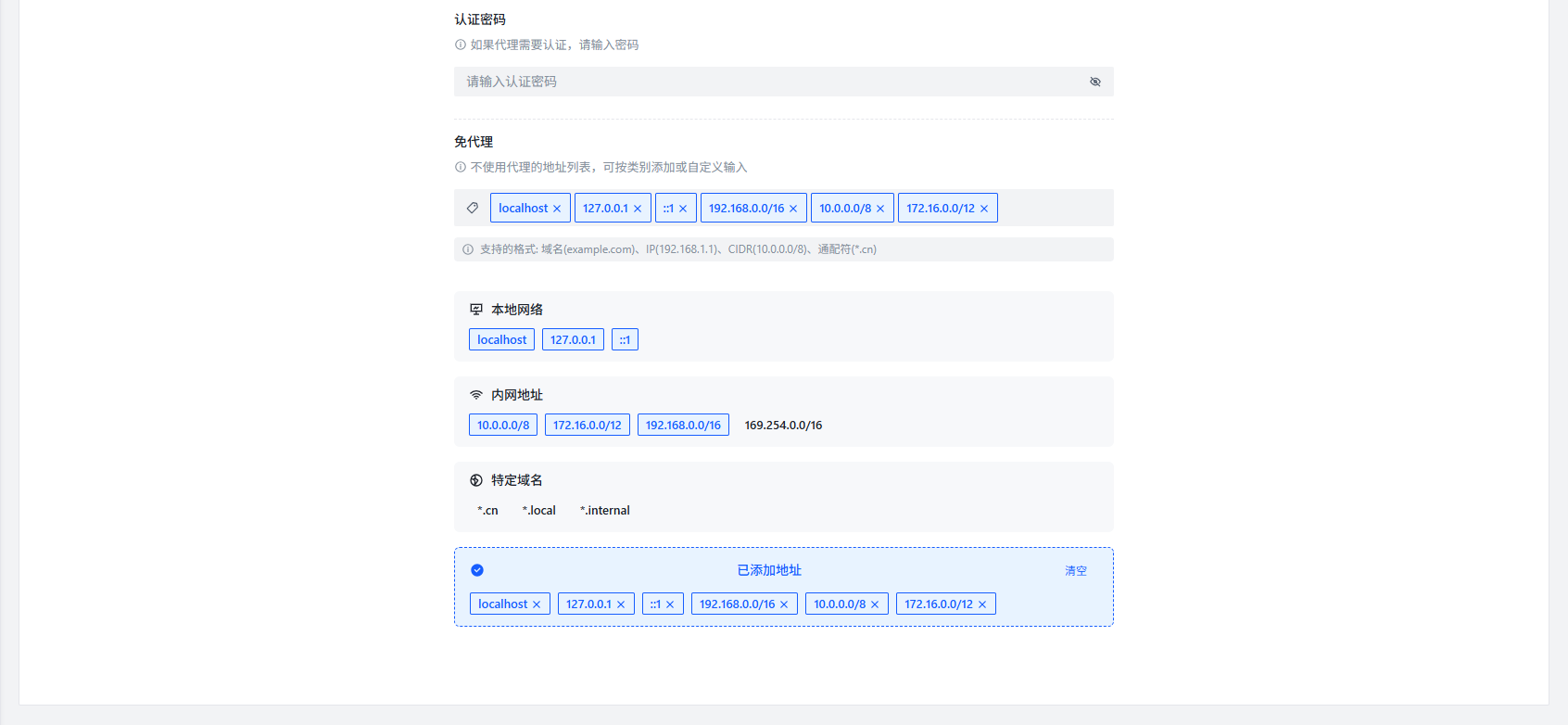
Bypass Proxy Hosts

Function Description: Set host addresses that do not need to be accessed through a proxy.

Add Method: Enter the host address and press Enter to confirm addition.

Applicable Scenario:

  • Local network resources
  • Public resources that do not need to be accessed through a proxy

Network Proxy Configuration

Network Proxy Configuration

Configuration Examples

The following are several common network proxy configuration examples:

Example 1: HTTP Proxy

Configuration ItemSetting Value
Enable ProxyEnabled
Proxy ProtocolHTTP
Proxy Host192.168.1.100
Proxy Port8080
Usernameuser
Passwordpassword
Bypass Proxy Hostslocalhost, 127.0.0.1

Example 2: SOCKS5 Proxy

Configuration ItemSetting Value
Enable ProxyEnabled
Proxy ProtocolSOCKS5
Proxy Hostproxy.example.com
Proxy Port1080
Username-
Password-
Bypass Proxy Hostslocalhost, 192.168.1.*

Notes

Important Tips
  • After configuration is completed, you need to restart the program for it to take effect
  • Configuration errors may cause the program to not run normally
  • Ensure the proxy server address and port are correct
  • Ensure the proxy server can be accessed normally
  • For proxies that require authentication, ensure the username and password are correct

Common Questions

Q: Why do I need to configure a network proxy?

A: Some network resources may require specific network environments to access. Configuring a network proxy can help the program normally access these resources, such as:

  • Some scrapers need to access network resources in specific regions
  • Some plugins need to access external APIs

Q: How to test if the proxy configuration is correct?

A: You can test through the following methods:

  1. Configure proxy settings
  2. Restart the program
  3. Try to execute operations that require network access (such as scraping)
  4. Check if the operation is completed successfully

Q: After the proxy configuration takes effect, will all network requests go through the proxy?

A: No, only specific operations that require network access will go through the proxy, and you can specify resources that do not need to be accessed through the proxy by setting bypass proxy hosts.

Q: Why is it still accessing through the proxy even after setting bypass proxy hosts?

A: Possible reasons include:

  • Incorrect bypass proxy host format
  • Configuration not taking effect (needs program restart)
  • Program internal logic prioritizes using proxy

Q: What impact will proxy server connection failure have?

A: If the proxy server connection fails, it may cause the following problems:

  • Scraping failure
  • Plugins not working properly
  • Unable to obtain online resources

Best Practices

  • Use a stable proxy server: Ensure the proxy server is stable and reliable to avoid frequent disconnections
  • Reasonably set bypass proxy hosts: Add local resources and public resources that do not need a proxy to the bypass list to improve access speed
  • Regularly check proxy configuration: If the network environment changes, update the proxy configuration in a timely manner
  • Backup proxy configuration: Record the current configuration before modifying it to restore it in case of problems