Smart Translation
The Smart Translation plugin provides professional multilingual translation capabilities for the AMMDS platform, supporting users in performing precise translations between different languages. By integrating advanced machine translation and AI translation technologies, this plugin offers high-quality, contextually accurate translation services to meet diverse translation needs.
This plugin adopts a system-level translation solution that supports multiple translation engines and AI models. Users can select the most suitable translation method based on specific scenarios to ensure translation quality and accuracy.
Plugin Configuration

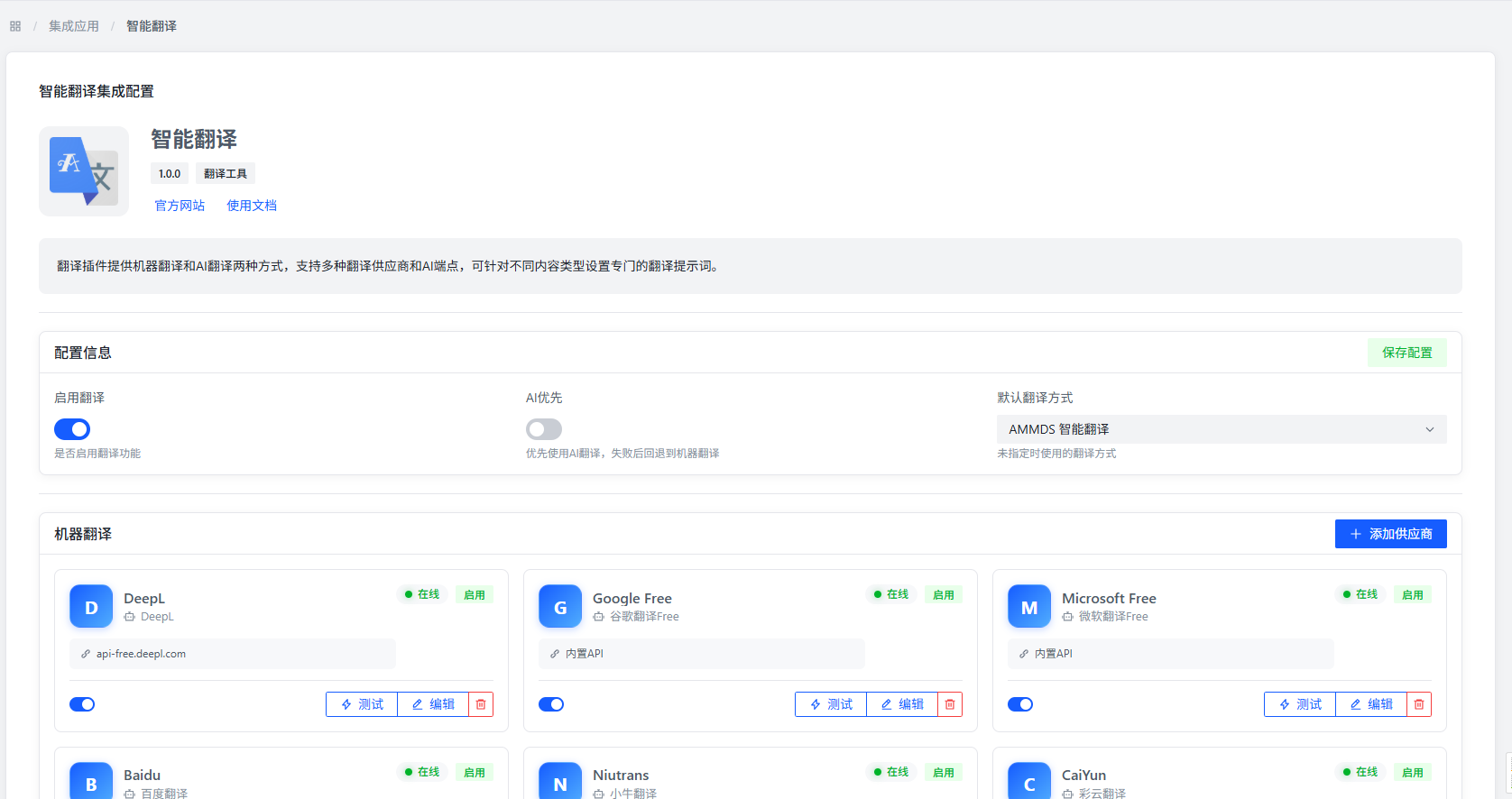
Basic Configuration Items
- Enable Translation: Controls whether to enable the smart translation feature. Once enabled, the system will process translation requests according to the configured translation services.
- AI Priority: Sets whether to prioritize AI translation services. When AI translation is unavailable, the system will automatically switch to machine translation to ensure continuity of translation services.
- Default Translation Method: The system defaults to using MetaTube translation. Users can choose whether to enable the smart translation feature based on their needs.
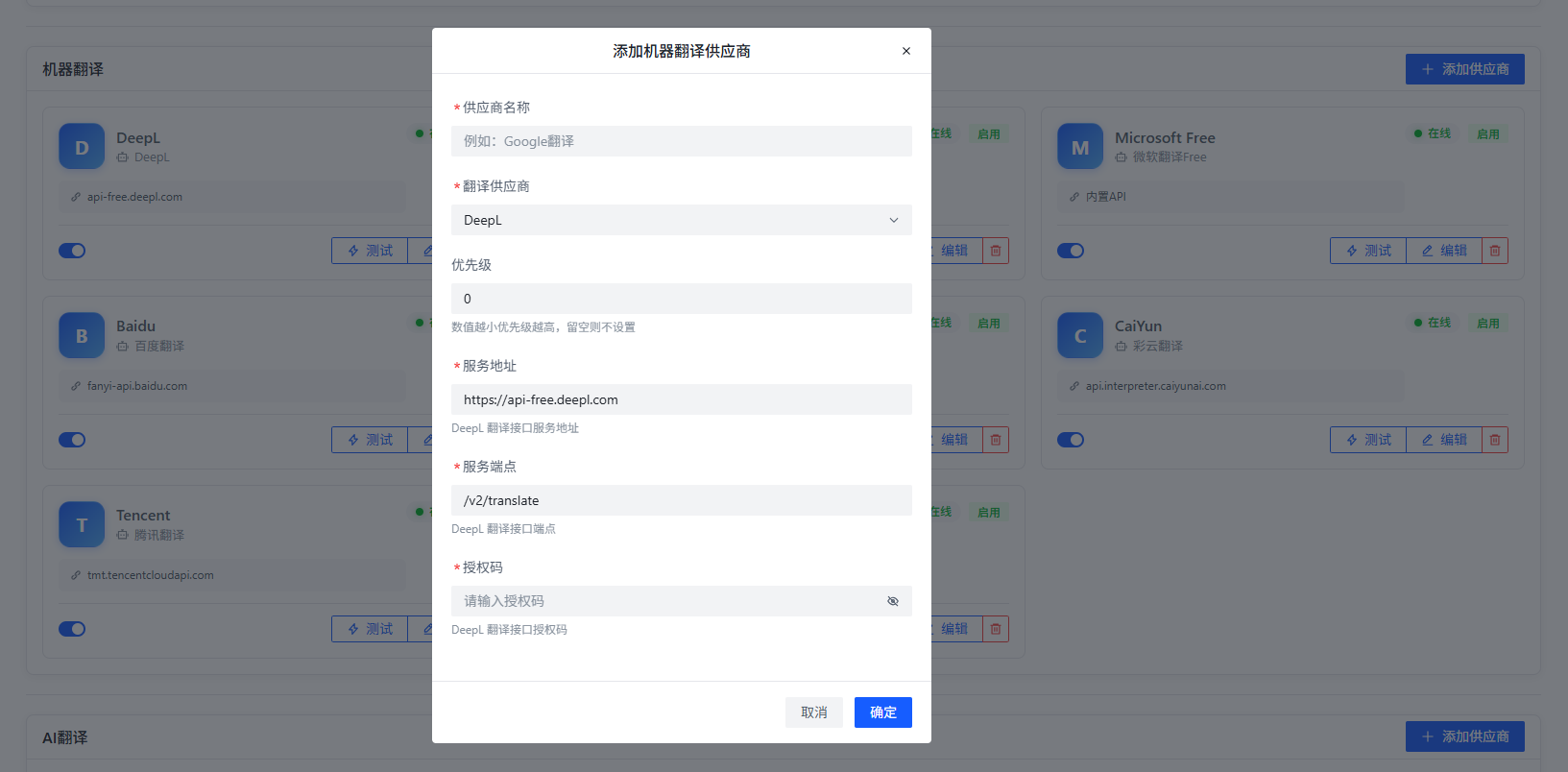
Add Machine Translation

Users can configure multiple machine translation services to establish a translation service cluster, improving translation reliability and diversity:
- Provider Name: Set an identifier name for the translation engine, facilitating user management and identification of different translation services.
- Translation Provider: Select different translation service providers, such as Google Translate, Baidu Translate, Tencent Translate, etc.
- Priority: Set the priority order of translation engines. The system will use translation services according to priority. When a high-priority service is unavailable, it automatically switches to a lower-priority service.
Note: After selecting different translation providers, the system will display corresponding configuration items. Users need to fill in necessary information such as API keys according to actual requirements.
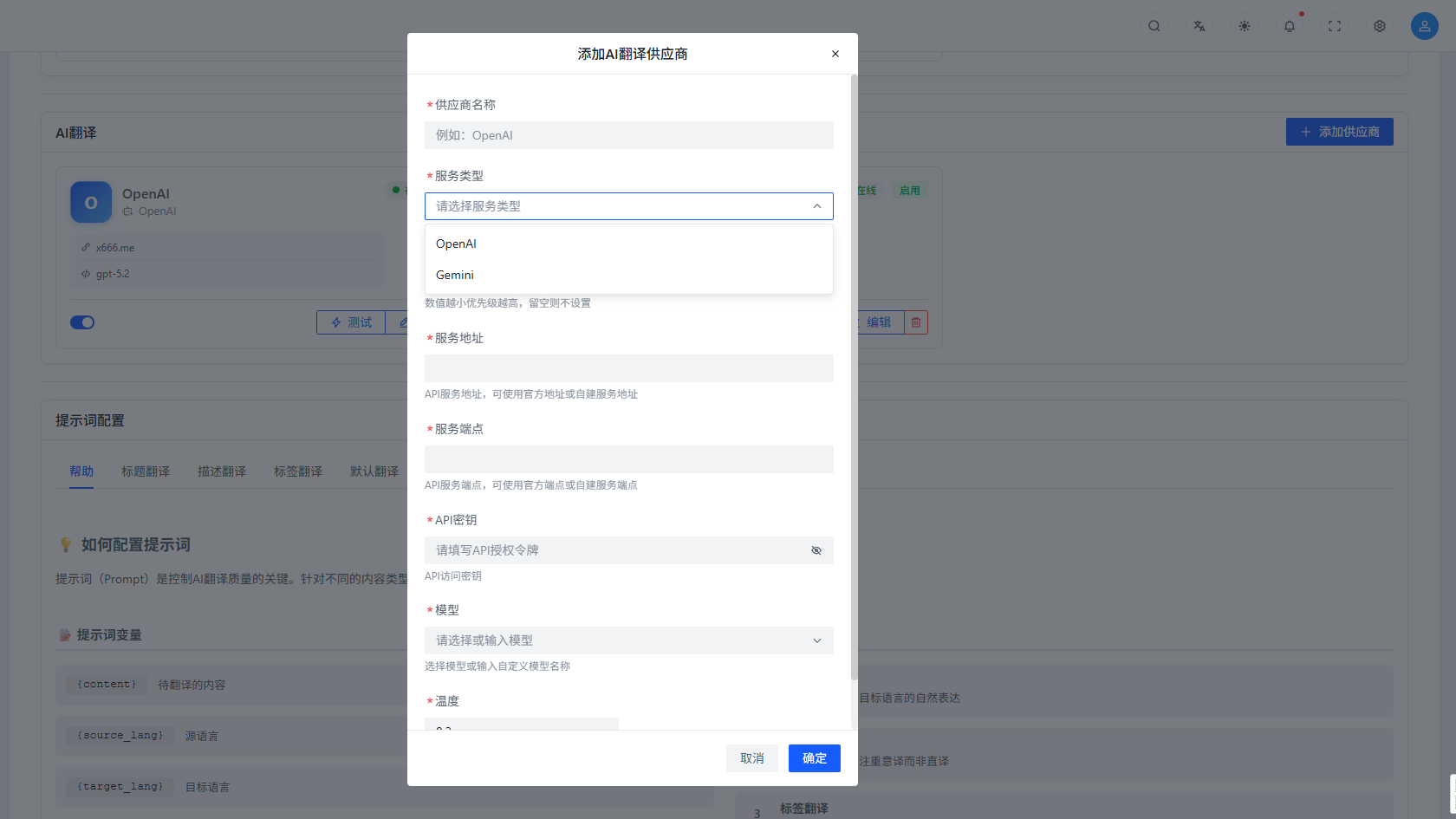
Add AI Translation

Users can configure AI translation services, utilizing advanced large language models to provide more natural and accurate translation results:
- Provider Name: Set an identifier name for the AI translation service for easy management and identification.
- Service Type: Supports two service types: OpenAI endpoint and Gemini endpoint. Users can choose according to actual situations.
- Service Address: Fill in the API address of the AI translation service, supporting official API addresses or self-built proxy addresses.
- API Key: Fill in the key to access the AI translation service to ensure service call security.
- Model: Select the AI model to use. Different models may vary in translation quality and speed.
- Temperature: Set the temperature parameter for AI translation (between 0-1) to adjust the creativity of translation results. Lower temperature results in more conservative and accurate translations; higher temperature results in more flexible and diverse translations.
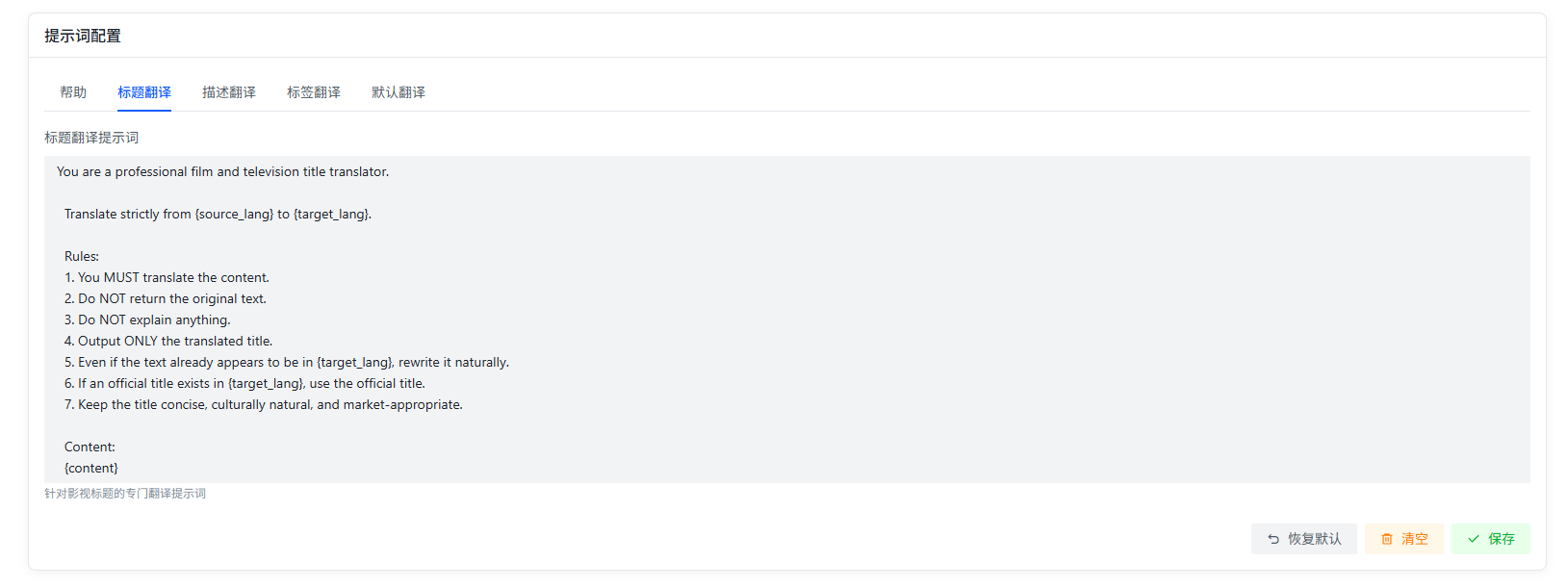
Configure AI Translation Prompts

Users can configure AI translation prompts according to specific translation scenarios to optimize translation results and adapt to professional needs in different fields:
- Prompt: Set the prompt text to guide AI translation, which can be customized according to translation needs. For example:
- Professional domain translation: "Please translate the following text into a professional technical document style, maintaining the accuracy of terminology."
- Literary work translation: "Please translate the following text into a fluent literary style, maintaining the emotion and artistic conception of the original text."
- Business document translation: "Please translate the following text into a formal business style, ensuring the correct use of professional terminology."
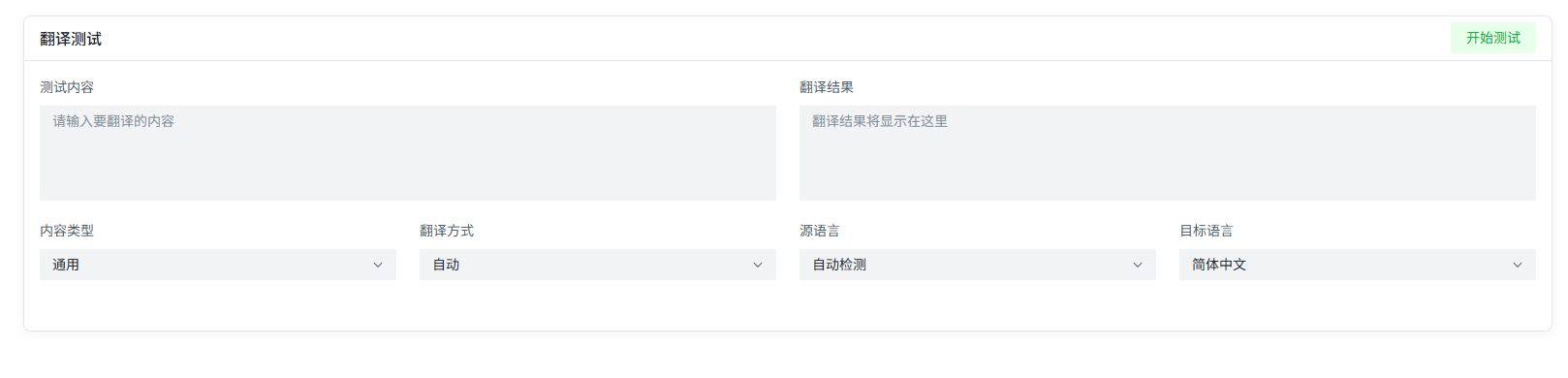
Translation Testing

After completing configuration, users can input text in the translation testing interface to view translation results in real-time and verify translation effects. The testing function supports:
- Multilingual mutual translation testing
- Comparison testing of different translation engines
- Translation speed and quality evaluation
Supported Languages
The Smart Translation plugin supports mutual translation of multiple commonly used languages, including but not limited to:
- Chinese (Simplified/Traditional)
- English
- Japanese
- Korean
- French
- German
- Spanish
- Russian
- Arabic
The specific range of supported languages depends on the configured translation service providers.
Use Cases
The Smart Translation plugin is suitable for the following scenarios:
- Multilingual Content Management: Provide translation support for multilingual content on the AMMDS platform, ensuring consistency of content across different language versions.
- Internationalization Applications: Help developers translate application interfaces and documents into multiple languages, improving global user experience.
- Cross-language Communication: Real-time translation of communication content in multilingual environments to eliminate language barriers.
- Professional Document Translation: Provide professional translation services for technical documents, business documents, etc., ensuring terminology accuracy.
- Content Localization: Adapt content to specific languages and cultural backgrounds to improve target user acceptance.
Best Practices
- Mixed Use of Translation Services: Choose appropriate translation services based on the type and importance of translation content. For content with many professional terms, it is recommended to use AI translation; for daily content, machine translation can be used to improve speed.
- Reasonable Configuration of Translation Service Priority: Set high-priority translation services with high reliability to ensure translation service stability.
- Optimize AI Translation Prompts: Customize appropriate prompts according to different translation scenarios to improve translation quality.
- Regularly Test Translation Services: Regularly test configured translation services to ensure service availability and translation quality.
- Monitor Translation Usage: Monitor the usage of translation services to discover and resolve problems in a timely manner and optimize translation configuration.
Troubleshooting
- Translation Service Unavailable: Check if the API key of the translation service is correct, if the network connection is normal, and if the service provider has service interruptions.
- Poor Translation Quality: Adjust the temperature parameter of AI translation, optimize prompts, or try using different translation services.
- Slow Translation Speed: Check network connection, reduce the text length of single translation, or select translation services with faster response speed.
- Inconsistent Translation Results: Ensure using the same translation service and configuration, and avoid using different translation parameters in different scenarios.